

What is tfy apply?
tfy apply is a CLI command that lets you create or update resources, such as deployments, workspaces, clusters, and model accounts, by applying a manifest file.
A manifest is a YAML file that describes the resource you want to create or update.
Note: If you haven’t set up the CLI yet, see the CLI setup guide.
Example: Deploying an OpenAI Model Account
Here’s a sample manifest for creating an OpenAI model account.What is Dry Run?
The--dry-run flag simulates the apply process without making any changes. This is useful to validate your manifest and see what would happen if you actually applied it.
What is Show Diff?
The--show-diff flag, when used with --dry-run, displays the differences between your manifest and the currently deployed resources. This helps you review what changes will be made before applying them.
Previewing Changes Before Applying
To see what changes will be made without actually applying them, you can use the following command: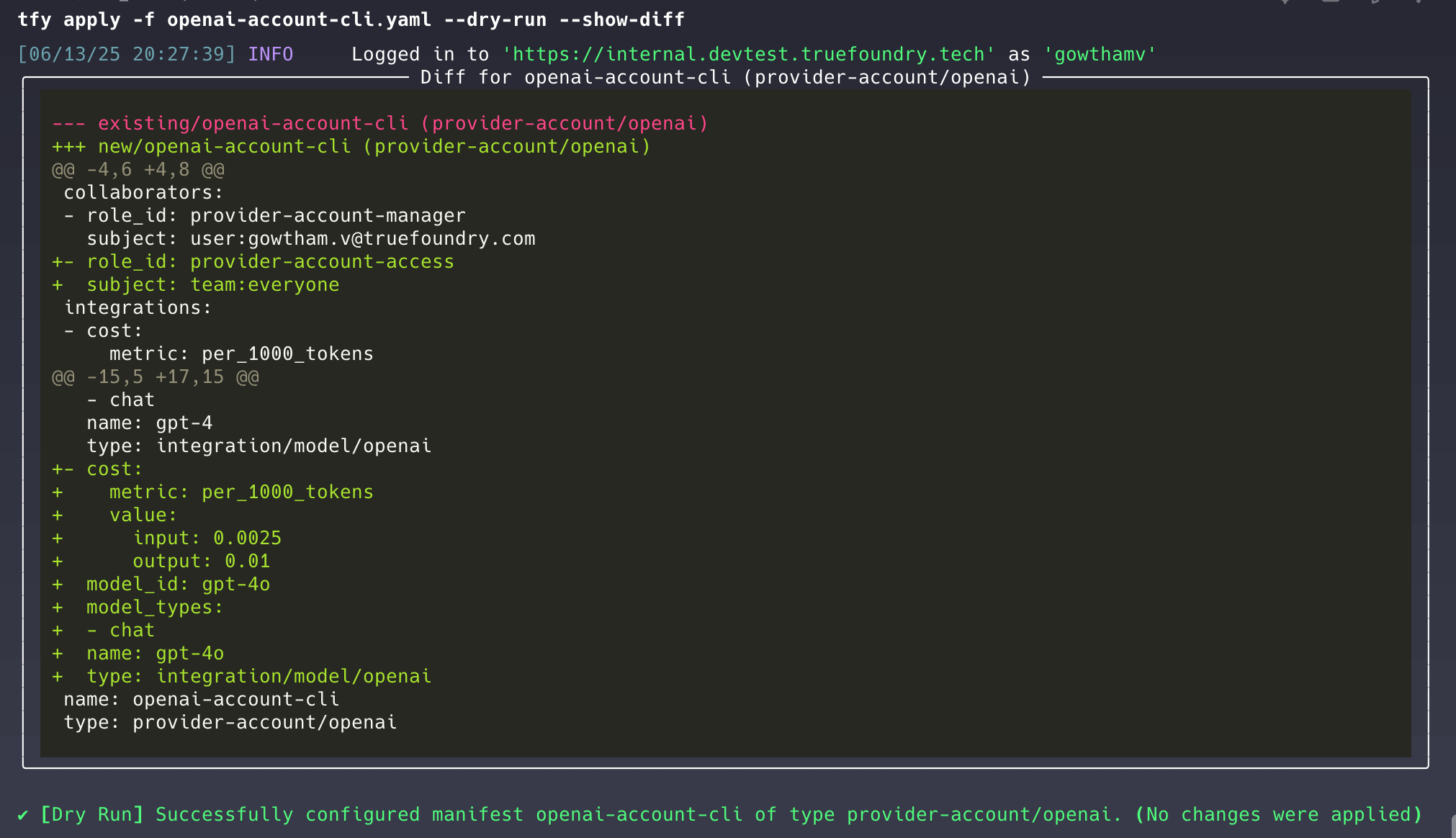
Diff output for dry run
Applying the changes
To apply the changes in your manifest, run:Directory Mode
Instead of specifying individual manifest files with-f, you can apply all manifests from a directory using the -d (or --dir / --directory) flag.
The
-f and --dir flags are mutually exclusive. You must use exactly one of them.How Directory Mode Works
- All
*.yamland*.ymlfiles under the specified directory are discovered recursively - Files are automatically sorted by manifest type to respect dependencies (e.g., team is applied before workspace is applied)
Previewing Directory Changes
You can combine directory mode with dry run to preview all changes:Git-Based Diff Mode
When working with manifests stored in a git repository, you can use--diffs-only to apply only the files that have changed compared to a specific git reference.
HEAD and only applies YAML files that git considers modified or newly added.
Specifying a Comparison Reference
Use--ref to compare against a specific commit, branch, or tag instead of HEAD:
The
--ref flag is only valid when used with --diffs-only.What Gets Included
- Modified files: YAML files that have changes compared to the reference
- New files: Untracked YAML files under the directory are treated as new and included
- Deleted files: Tracked in a separate set (used with
--sync)
Sync Mode
The--sync flag enables cleanup of resources whose manifest files have been deleted from git. After applying changed manifests, it will delete platform resources that correspond to removed YAML files.
If a deleted file’s content cannot be parsed from the git history, that entry may be skipped during deletion.