What is Pydantic Logfire?
Pydantic Logfire is an observability platform built on OpenTelemetry that accepts OTLP traces and metrics over HTTP. It provides an LLM-aware interface that automatically detects GenAI semantic conventions and renders conversation replays, token usage, and cost breakdowns for AI workloads. It is offered as a managed cloud service with US and EU regions.Key Features of Pydantic Logfire
- LLM & AI Observability: Automatically detects GenAI span attributes and renders conversation replay, token usage, and cost data — no custom configuration needed.
- OpenTelemetry Native: Built on the OTLP standard, meaning any OTLP-compatible exporter can send traces and metrics to Logfire without using the Logfire SDK.
- Multi-region Ingestion: Provides dedicated ingestion endpoints for the US and EU regions to meet data residency requirements.
Prerequisites
Before integrating Pydantic Logfire with TrueFoundry, ensure you have:- TrueFoundry Account: Create a TrueFoundry account and follow the instructions in our Gateway Quick Start Guide.
- Pydantic Logfire Account: Sign up at logfire.pydantic.dev and create a project to obtain a write token.
Understanding the Logfire Endpoint
Logfire provides two regional base URLs:
You must append the signal path to the base URL yourself — TrueFoundry does not auto-append these paths:
- Traces:
https://logfire-us.pydantic.dev/v1/traces - Metrics:
https://logfire-us.pydantic.dev/v1/metrics
Integration Steps
1
Create a Write Token in Logfire
- Log into logfire.pydantic.dev and open your project.
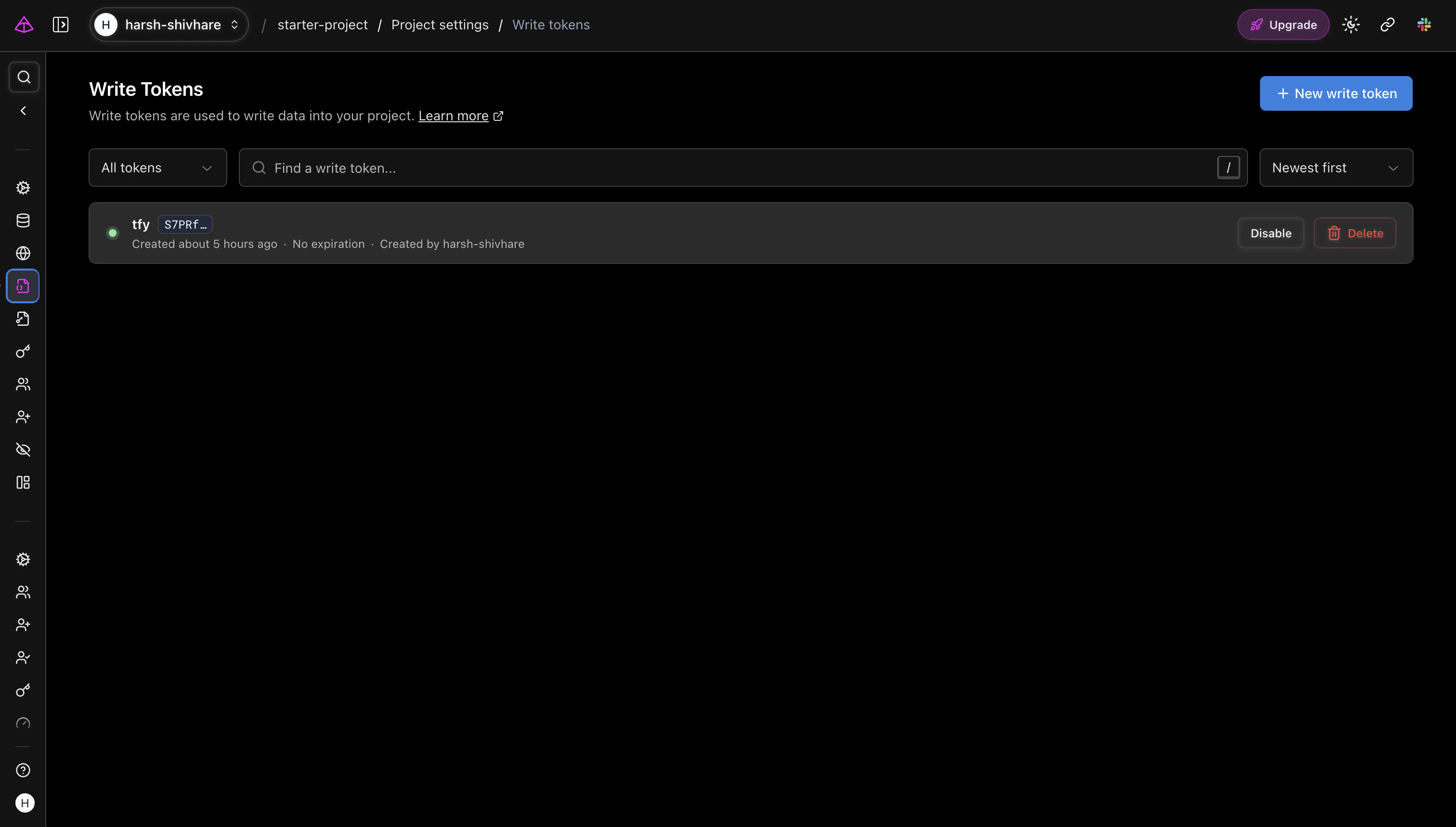
- Navigate to Project Settings → Write Tokens.
- Click Create Write Token, give it a name, and copy the token value immediately — it is shown only once.
2
Configure OTEL Export in TrueFoundry
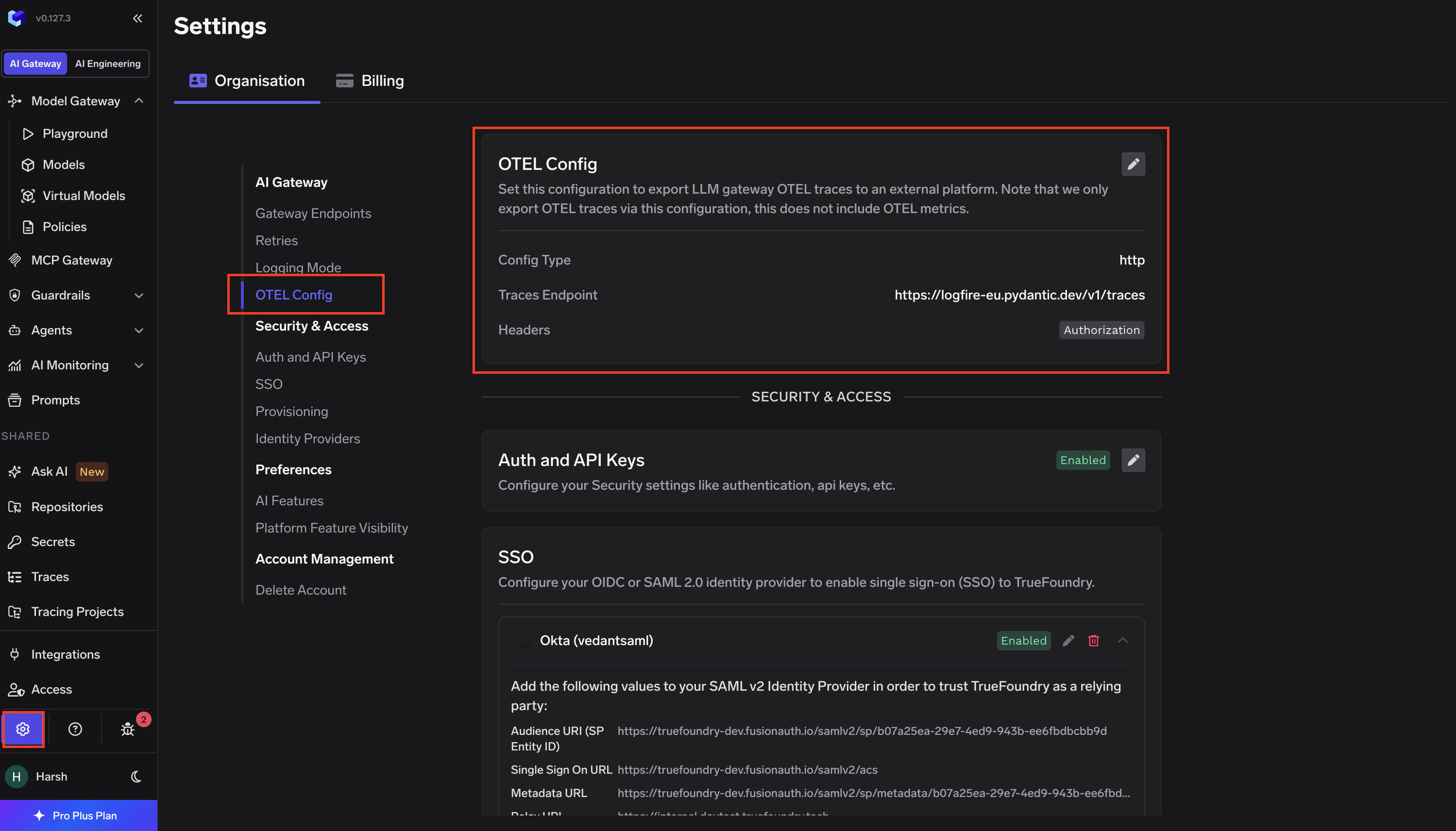
- Go to AI Gateway → Controls → Settings in the TrueFoundry dashboard.
- Scroll down to the OTEL Config section and click the edit (✏️) button.
- Enable the Otel Traces Exporter Configuration toggle and fill in:
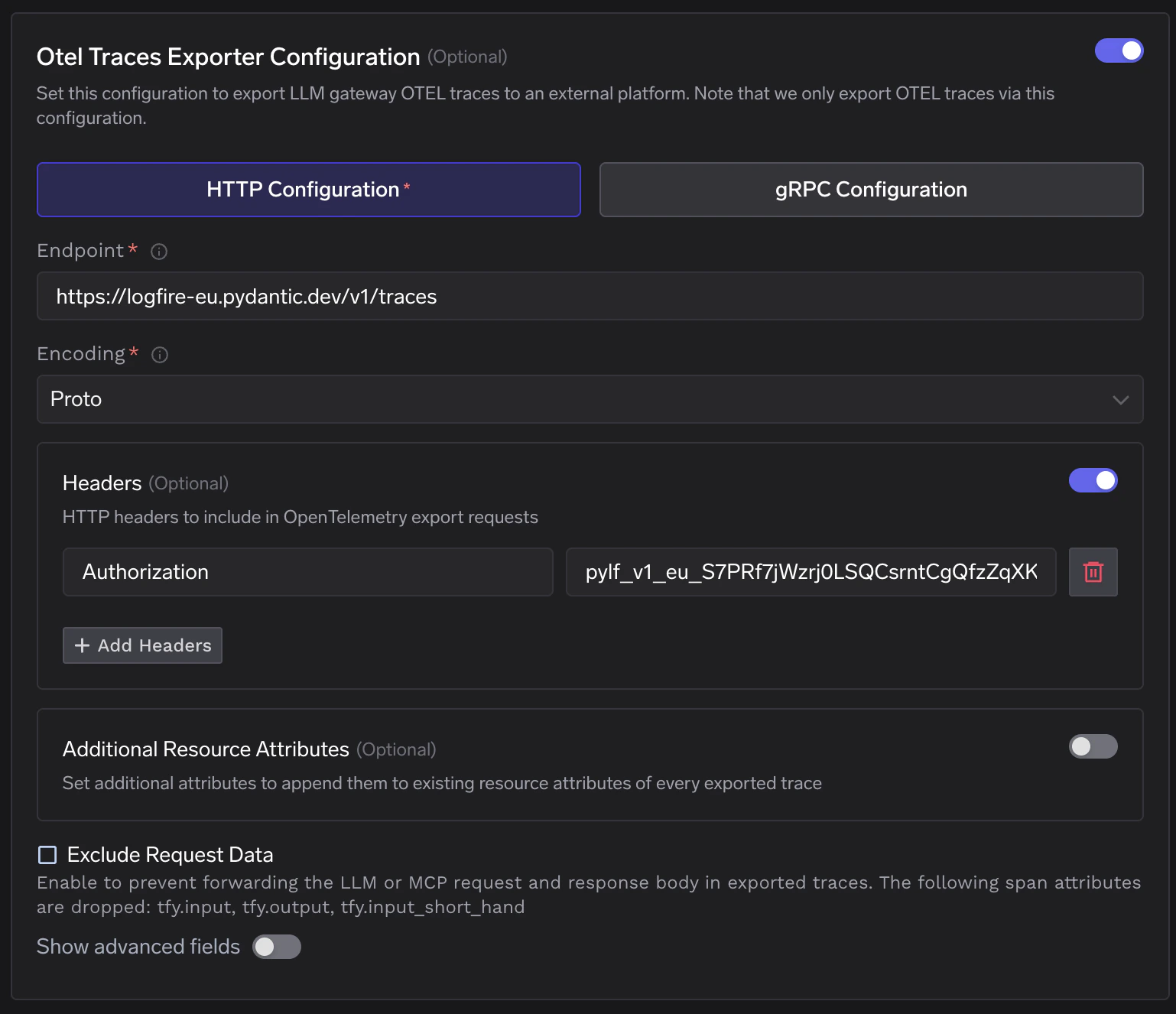
- Enable the Otel Metrics Exporter Configuration toggle and fill in:
- Click Save to apply the configuration.
If your Logfire project is in the EU region, replace
logfire-us.pydantic.dev with logfire-eu.pydantic.dev in both the traces and metrics endpoint fields.3
Verify the Integration
- Make a request through the TrueFoundry AI Gateway.
- Log into logfire.pydantic.dev and open your project.
- Navigate to the Live view and confirm spans with service.name
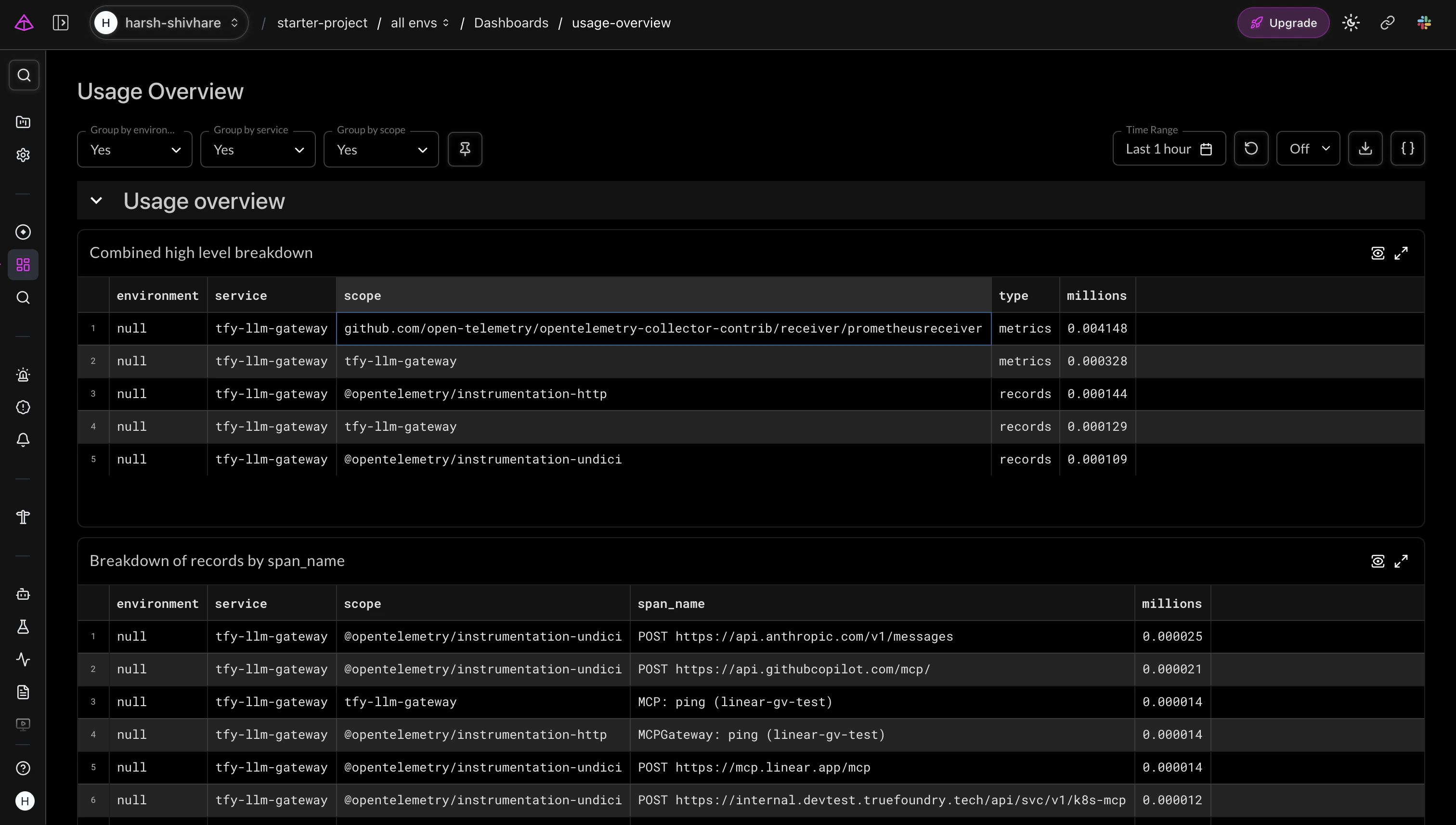
tfy-llm-gatewayare appearing.
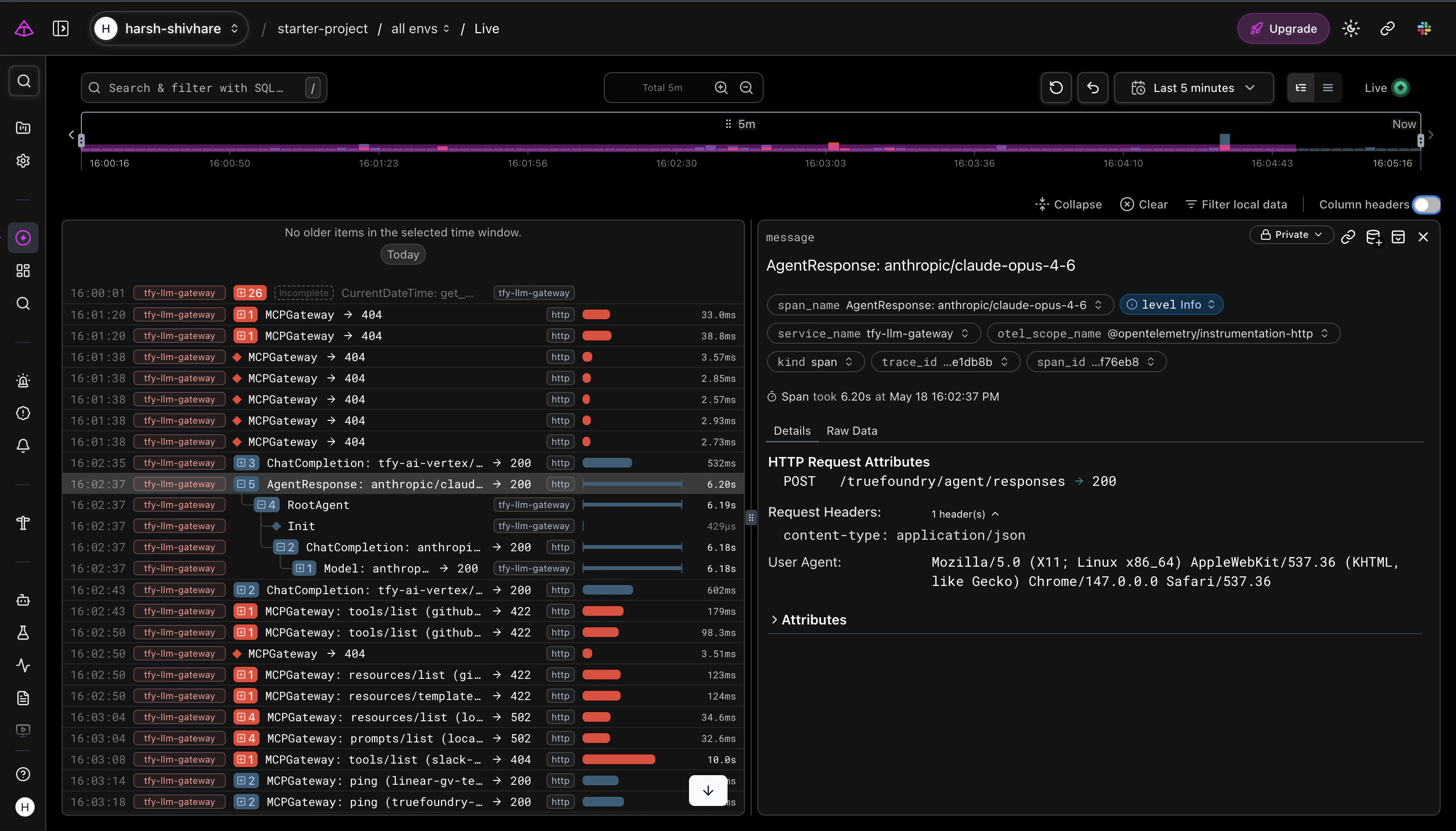
- Open the Dashboards → Usage Overview view to confirm gateway metrics are flowing in.