

What Is Changing
The agent builder is moving out of the main TrueFoundry sidebar Agents section into a dedicated Trueforge portal. Open it from the sidebar under TRUEFORGE → Build Agents.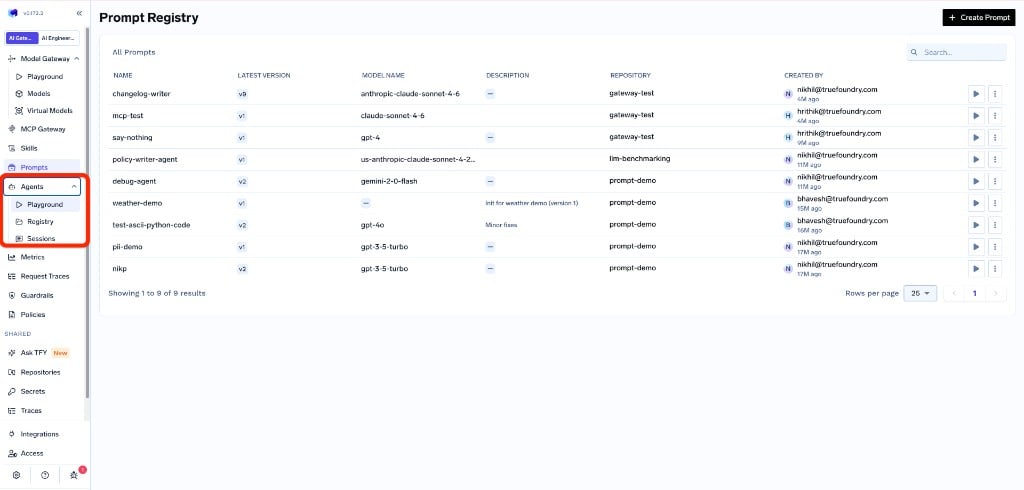
Before: agent builder lived under Agents (Playground, Registry, Sessions) in the main sidebar
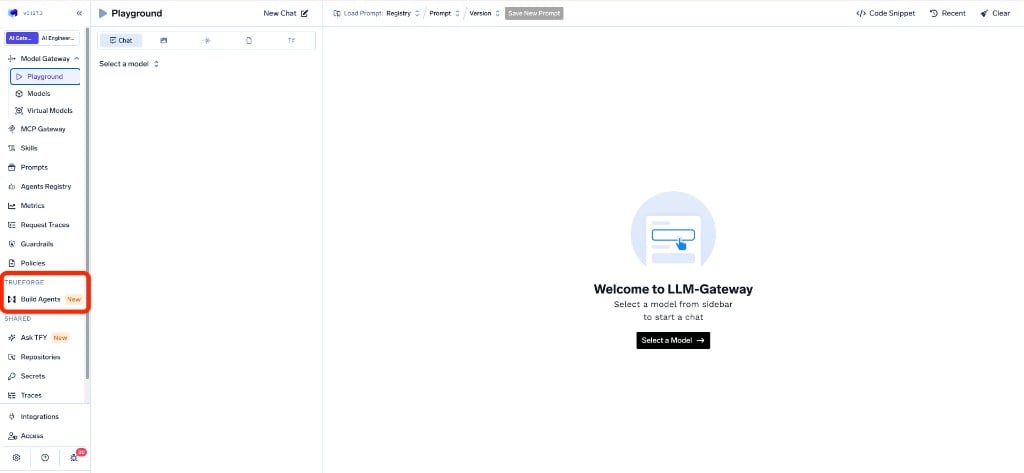
After: open the agent builder from TRUEFORGE → Build Agents
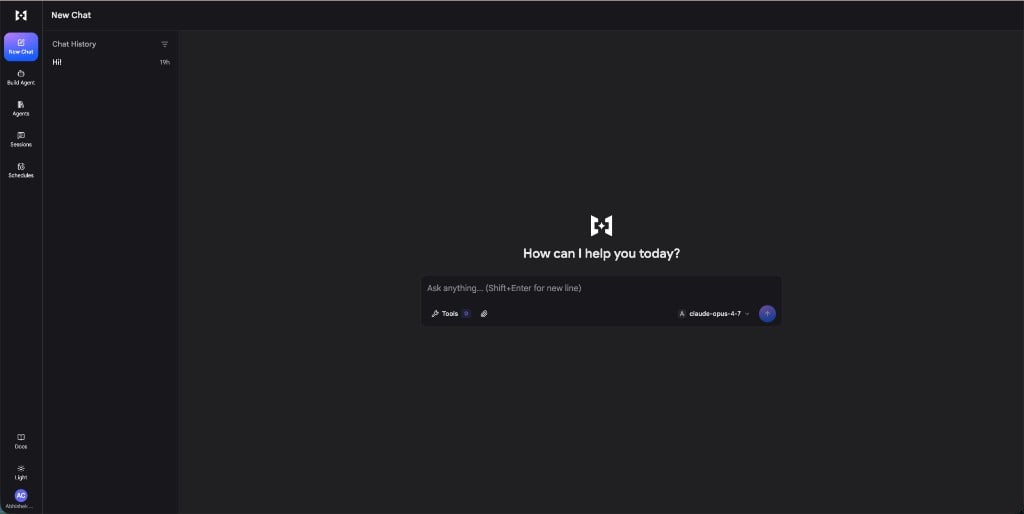
Trueforge portal — the managed agent builder
Self-hosted gateway planes
Trueforge runs on the control plane and talks to your default gateway to discover and use the models and MCP servers available to you. If you self-host the gateway plane, Trueforge will not work unless the control plane can reach that gateway plane.Existing agents
Agents you built earlier with the agent builder are migrated automatically to Trueforge. Open Build Agents to find and continue working with them there.APIs
If you invoke agents via APIs, the older APIs continue to work until 15th October, 2026. We recommend migrating to the new Trueforge APIs as soon as possible.Why This Change
The agent builder is moving onto Trueforge so you get a dedicated portal for building and running agents, backed by the same open-source harness you can run yourself, with a managed experience on TrueFoundry.What You Need to Do
1
Use Build Agents in the sidebar
Go to TRUEFORGE → Build Agents instead of the previous Agents sidebar section (Playground, Registry, Sessions). Your existing agents appear in Trueforge after migration — no recreate step is required for agents built in the old builder.
2
Check connectivity if you self-host the gateway plane
Confirm that your control plane can reach your self-hosted gateway plane. If it cannot, Trueforge will not be able to list models or MCP servers — contact us to set the connection up.
3
Migrate to the new Trueforge APIs
Older agent APIs continue to work until 15th October, 2026. Migrate to the new Trueforge APIs as soon as possible.
References
If you have questions about the migration or run into anything unexpected, reach out to support@truefoundry.com — we’re happy to help.