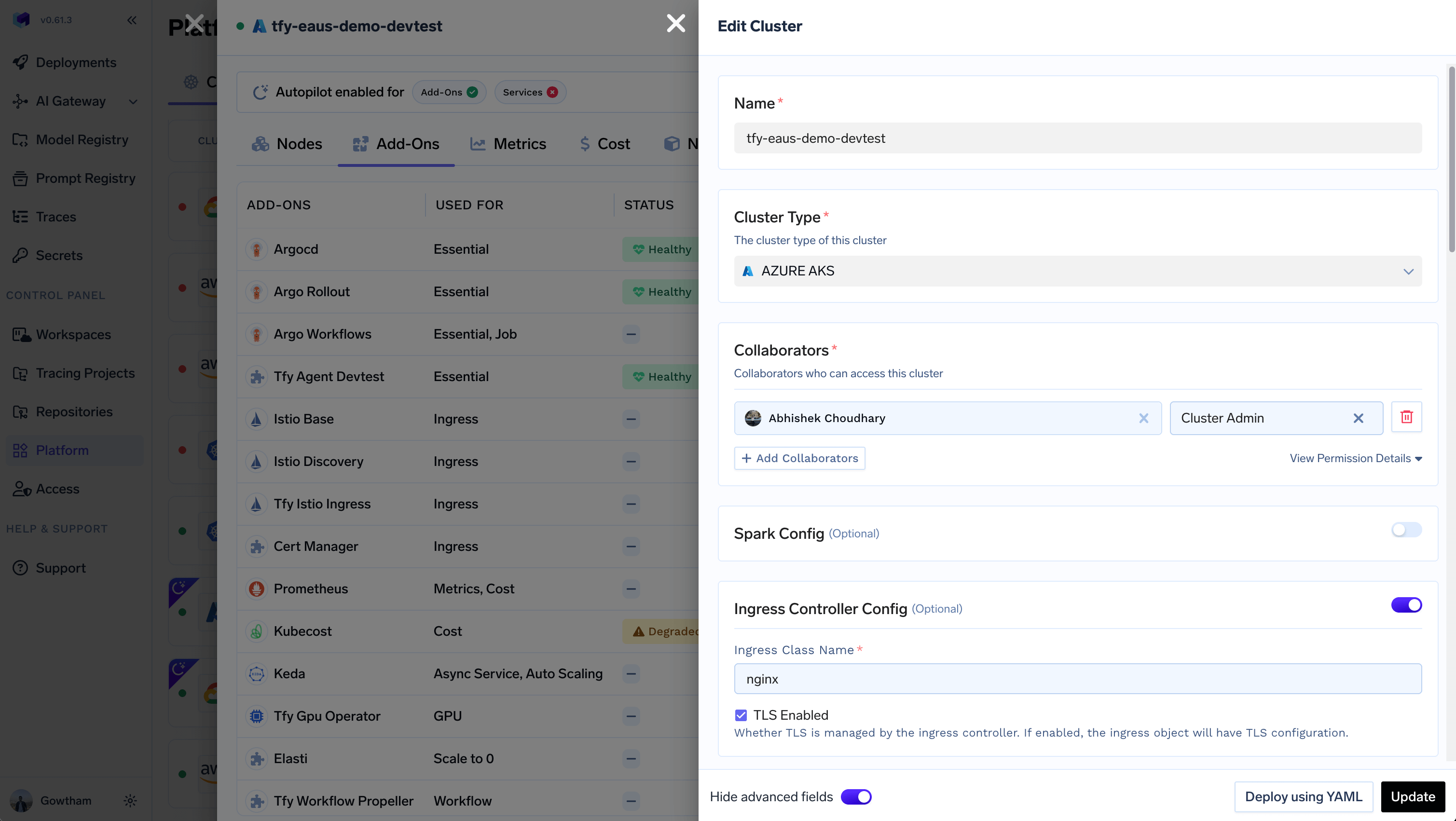
TrueFoundry uses Istio as the default ingress controller in the compute-plane cluster. If you choose to use a different ingress controller, make sure to update the corresponding configuration in the cluster form. Navigate to the Platform > Clusters tab, select the cluster you wish to configure, and click the edit icon.Documentation Index
Fetch the complete documentation index at: https://www.truefoundry.com/llms.txt
Use this file to discover all available pages before exploring further.

- Ingress Class Name: Identifies which ingress controller is responsible for handling a specific ingress resource. Example:
nginx - TLS Enabled (Optional): Indicates if TLS termination is managed by the ingress controller. When enabled, the generated ingress object will include
TLSconfiguration for the specified host(s).