

whisper_server.py: Contains theWhisperLitAPIthat implements theLitAPIinterface.requirements.txt: Contains the dependencies.
How to write the inference function in LitServe
Thewhisper_server.py file contains the WhisperLitAPI class that implements the LitAPI interface.
LitAPI class and implement the setup, decode_request, predict and encode_response methods.
setup: Load the model.decode_request: Decodes and transforms the request body to the input format expected by the model.predict: Processes the output ofdecode_requestand runs model inference.encode_response: Formats the response. Can perform any postprocessing on the response.
Running the server locally
- Install the dependencies
Shell
- Run the server
Shell
- Test the server
Shell
Deploying to TrueFoundry
Since the models are being pulled from HuggingFace Hub, we can directly deploy the code to TrueFoundry and use Artifacts Download feature to automatically download the model.1
Push the code to a Git repository or directly deploy from local machine
Once you have tested your code locally, we highly recommend pushing the code a Git repository. This allows you to version control the code and also makes the deployment process much easier. However, if you don’t have access to a Git repository, or the Git repositories are not integrated with TrueFoundry, you can directly deploy from local laptop.
You can follow the guide here to deploy your code.Configure 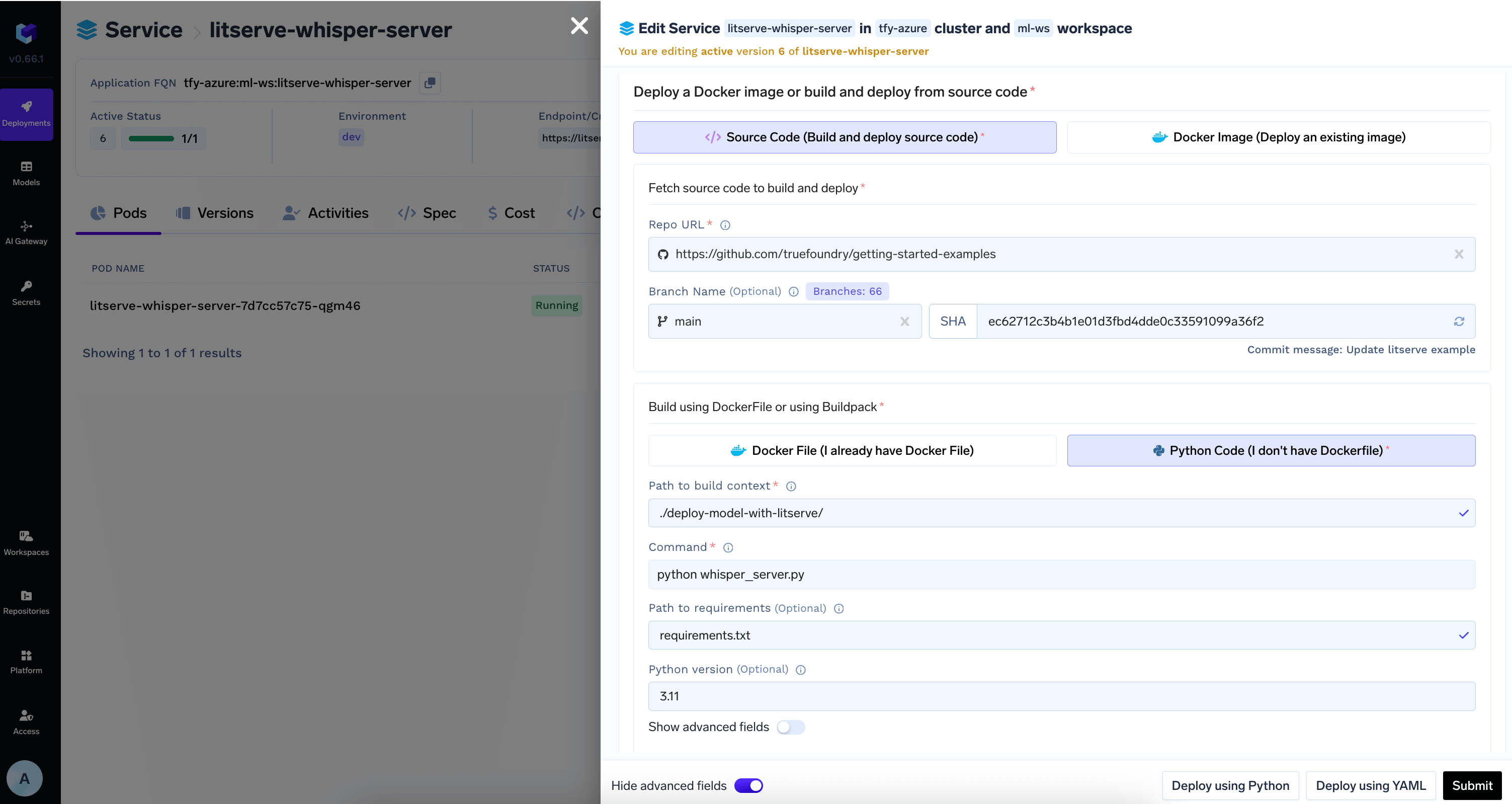
PythonBuild2
Download Model from HuggingFace Hub in the deployment configuration
Add the model id and revision from HuggingFace Hub in 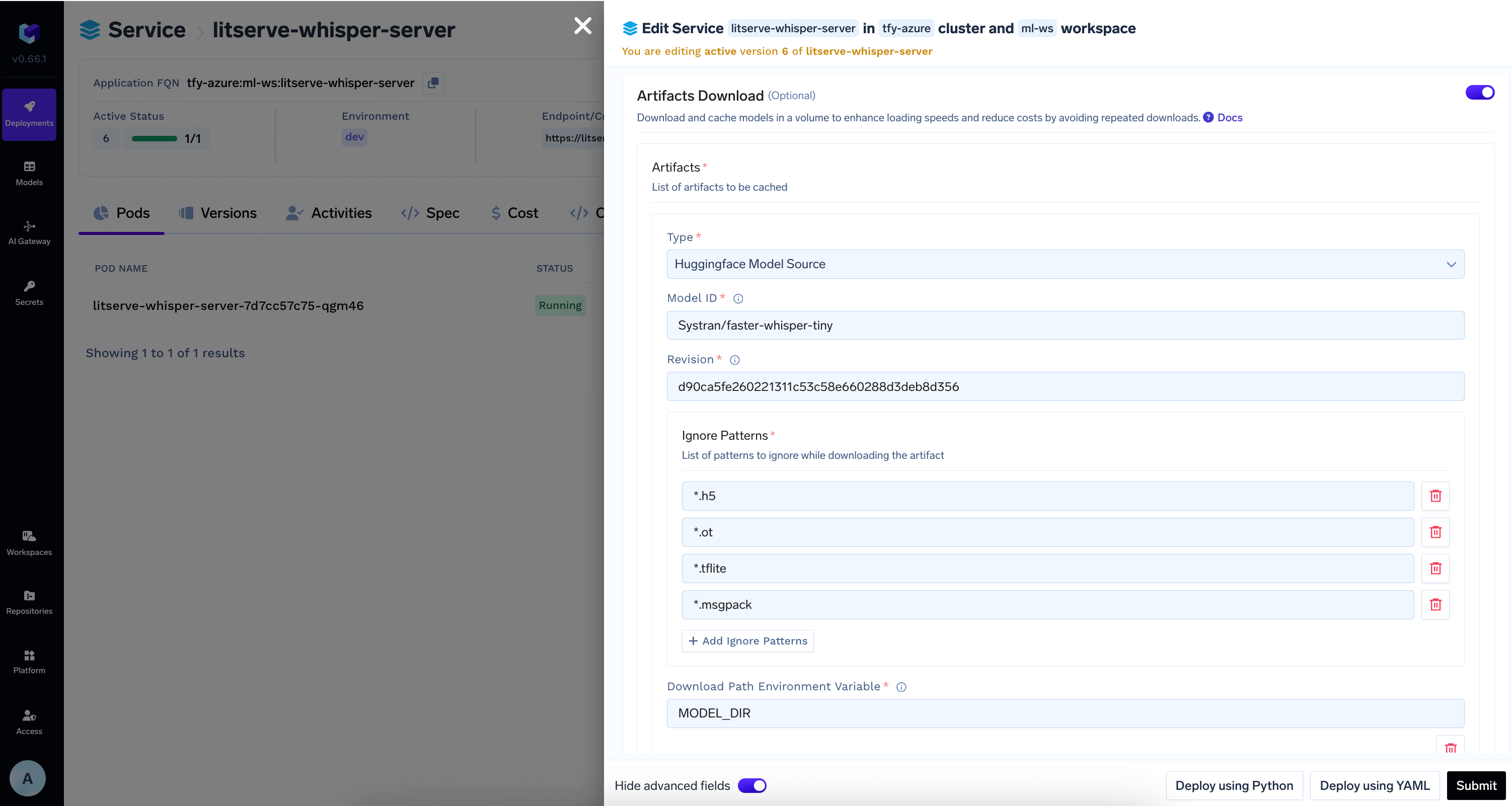
Artifacts Download section3
View the deployment, logs and metrics
Once the deployment goes through, you can view the deployment, the pods, logs, metrics and events to debug any issues.