

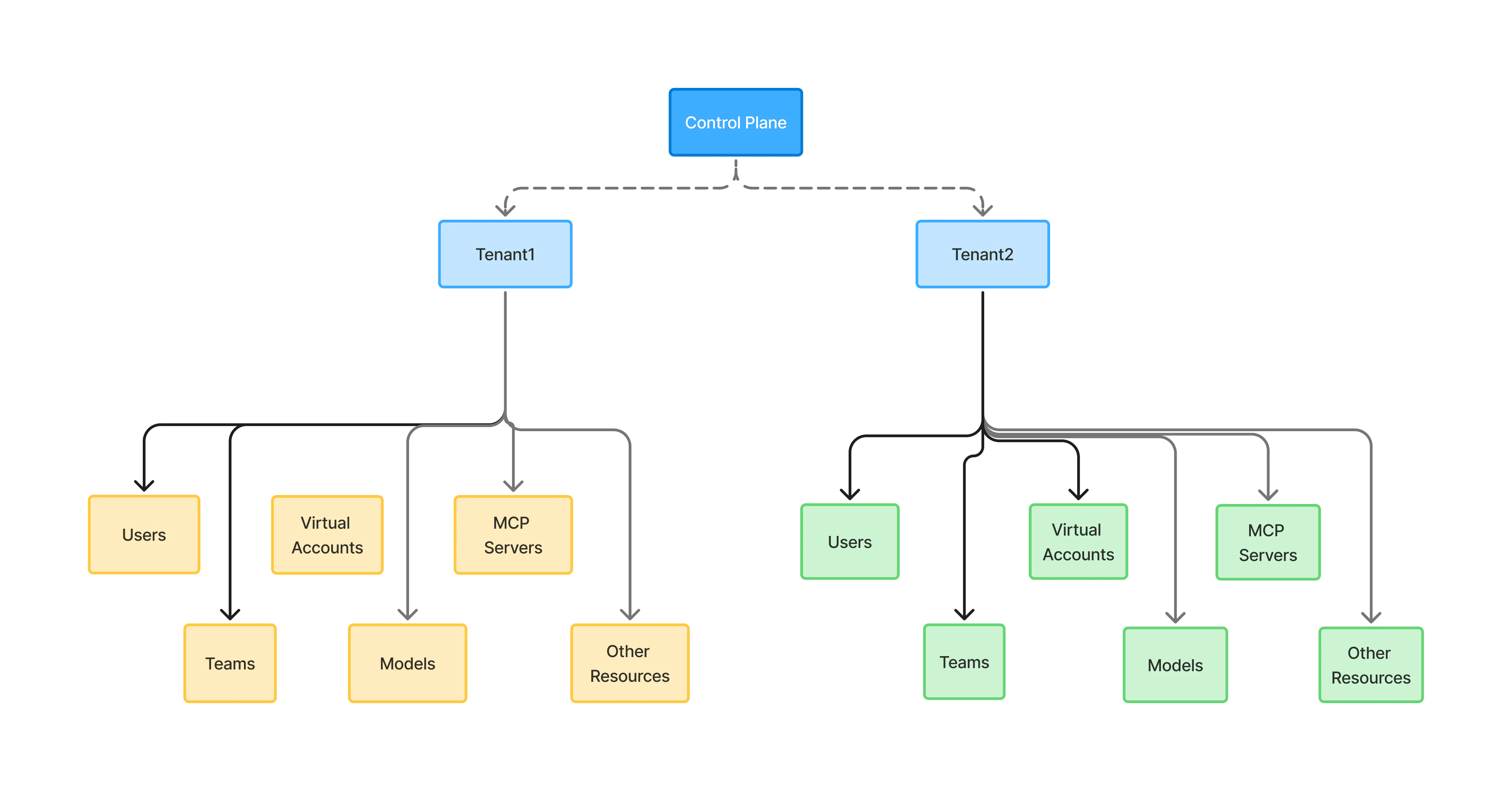
The tenant is the boundary
A control plane hosts one or more tenants. On TrueFoundry SaaS, TrueFoundry runs the control plane; when you self-host, your organization runs it and can create tenants under it. A tenant is where every identity and access decision is made. Each tenant has its own users, teams, virtual accounts, SSO configuration, provisioning mode, identity providers, roles, and resources such as models, MCP servers, prompts, clusters, and workspaces. A person can belong to several tenants, but their access is evaluated separately in each.Who can hold access
Three kinds of identity receive access inside a tenant:- Users are people who log in. Each has a unique email address and can be invited, synced from your IdP, or created on first SSO login. See Manage users.
- Teams group users so access is granted once to the group instead of to each person. When someone joins or leaves the team, their access changes with it. See Manage teams.
- Virtual accounts are service identities for applications, CI pipelines, and automations. They are not tied to a person, so their tokens keep working when people join or leave. See Manage virtual accounts.
How the pieces fit together
IAM is four layers that work together rather than alternatives to choose between. Most organizations use all of them.1
Authentication — how people sign in
SSO lets users sign in through your identity provider — Okta, Microsoft Entra ID, Google Workspace, Keycloak, and others — over SAML or OIDC. SSO only proves who someone is; it does not decide whether a user record exists.
2
Provisioning — how user records are created
Provisioning decides when a user appears in the tenant. SCIM syncs users and groups from your IdP and removes them when they leave. Just-in-time creates a user on their first SSO login. Invite lets admins add people by hand, which is useful for external collaborators. SSO with SCIM is the usual choice when the IdP should own the whole user lifecycle.
3
Workload identity — how applications authenticate
Applications do not sign in through SSO. They present a virtual account token issued by TrueFoundry, or a JWT from your own IdP validated through Identity Providers. Neither creates users or teams — tokens resolve to identities that already exist. See API keys for which token to use where.
4
Access control — what each identity can do
Once identities exist, roles and permissions decide what each one can do: resource roles on a single model, MCP server, or workspace, and tenant roles for platform-wide capabilities. Grants can be managed from the UI or kept in Git as role-binding manifests.
A typical setup
- Configure SSO and choose a provisioning mode.
- Create or sync teams that match how your organization works.
- Create virtual accounts for services and automations.
- Grant users, teams, and virtual accounts access to resources, and add custom roles where the defaults are too broad.
Tenant-wide security controls
Some controls apply to every identity at once rather than to a single user or resource. They are covered in the Security section:- PAT expiry, count, and team assignment limits
- UI login IP allowlisting
- Security notification recipients
- Revoking every user’s Personal Access Tokens in an emergency
- Deleting the tenant
FAQ
Can a single user belong to multiple tenants?
Can a single user belong to multiple tenants?
Yes. A user can create or be invited to multiple tenants and switch between them. Each tenant is fully isolated, so the user’s roles, teams, and accessible resources are evaluated independently in each tenant.
Can I create multiple tenants in the hosted version of the control-plane?
Can I create multiple tenants in the hosted version of the control-plane?
Yes. You can create multiple tenants on the hosted control-plane. Each tenant is completely isolated — users, teams, resources, SSO, and billing are all scoped to the tenant.
Can I create multiple tenants if I am self-hosting the control-plane?
Can I create multiple tenants if I am self-hosting the control-plane?
Multi-tenancy on a self-hosted control-plane is offered as part of our higher-tier enterprise plan. It is typically used by very large organizations that have entirely separate platform/IT teams or business units that need hard isolation. Reach out to the TrueFoundry team to enable this for your deployment.
When should I use teams vs. virtual accounts?
When should I use teams vs. virtual accounts?
Use teams to manage access for groups of human users. Use virtual accounts when an application, service, or automation needs a token to call TrueFoundry APIs — virtual accounts are not tied to a person and remain valid even when employees leave.