

- A subject is the identity receiving access: a user, team, virtual account, or agent.
- A resource is the object being accessed, such as a model provider account, MCP server, agent, cluster, workspace, repository, or secret group.
- A role is a named set of allowed actions. For example, the User role can use a model provider account, while the Manager role can also update it.
Choose the right type of access
Use the narrowest access that lets someone complete their work:- Access to one resource: grant a resource role from that resource’s Access Control page.
- The same tenant-wide capability for several people: create or use a tenant role, assign it to a team, and manage membership in that team.
- Let people on a team manage its Virtual Accounts: update the Team Member or Team Manager default role.
Give access to a resource
Use resource access control when a user, team, virtual account, or agent needs access to one specific resource.Open Access Control

Open Access Control from a model provider account
Grant access
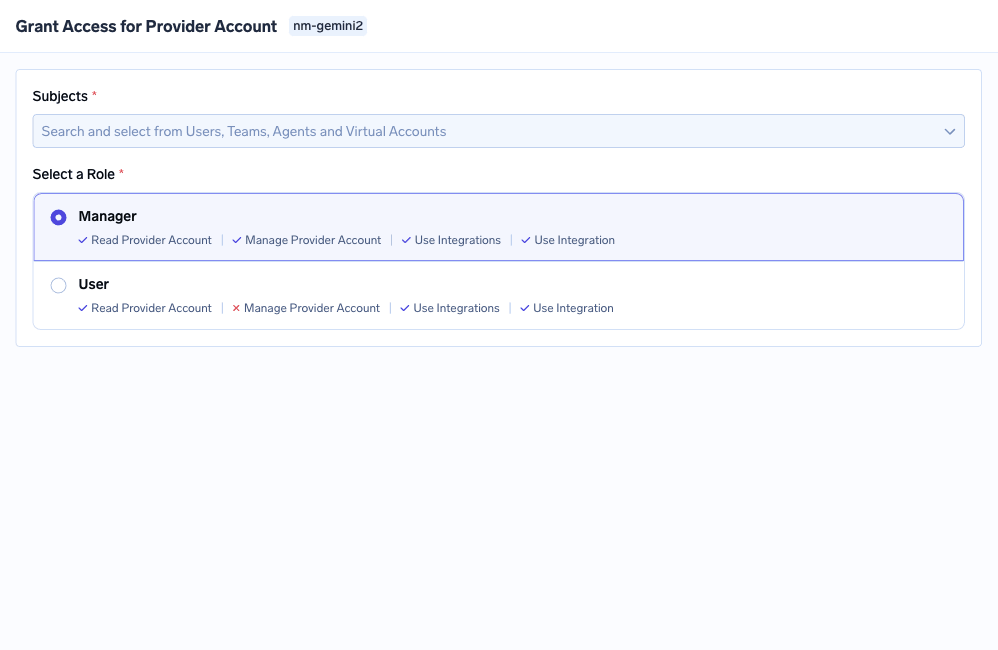
Choose subjects and a role for a provider account
Save the grant
- Model provider account: Manager can read, use, and manage it; User can read and use it.
- MCP server: MCP Server Manager, MCP Server User, and MCP Server Approver.
- Agent: Agent Manager and Agent Access.
- Cluster: Cluster Admin, Cluster Member, and Cluster Viewer.
- Workspace: Workspace Admin, Workspace Member, and Workspace Viewer.
- Secret group: Secret Group Admin, Secret Group Editor, Secret Group Viewer, and Secret Group Access.
Manage access from the subject
Start from Access when you want to understand or update everything assigned to one identity:- Users: open Access > Users. Edit the user for tenant roles, or use Manage Permissions to review resource access.
- Teams: open Access > Teams. Edit the team for tenant roles and membership, or use Manage Permissions to review resource access inherited by its members.
- Virtual Accounts: open Access > Virtual Accounts, then use Manage Permissions from the three-dot menu.
- Agents: select Agents while granting access from a resource’s Access Control page.
Manage access as code
Every grant made from Access Control is stored as a role binding, and you can write one directly as a manifest to keep access in Git and review it like any other change. Apply it withtfy apply or the role bindings API. Re-applying a manifest with the same name updates that binding rather than creating a new one.
Configure team roles
Every team member gets the Team Member role. People marked as managers also get Team Manager. Both roles apply to Virtual Accounts owned by that team.- Team Member gives members read access to their team’s Virtual Accounts by default.
- Team Manager lets managers manage team membership and read the team’s Virtual Accounts by default.

Virtual Account permissions in the Team Member default role
Configure tenant-wide roles
Tenant roles apply across the tenant. Use them for platform-wide capabilities such as creating resources, listing all resources of a type, managing users, or changing settings. TrueFoundry provides these account roles:- Tenant Admin: full control across the tenant. This role cannot be edited.
- Member: the default role for users. It provides a small baseline and can be edited to change that baseline for all members.
- Read-Only Member: read-only access across supported resources. This role cannot be edited.
Assign a tenant role
- To one user: go to Access > Users, edit the user, select the role, and save.
- To a group: go to Access > Teams, edit the team, select the role, and save. Every user in the team inherits it. To give a Virtual Account that role, open Access > Virtual Accounts and select Manage Permissions.
Create a custom role
Create a custom role when the default tenant roles are too broad or too narrow. A custom role contains tenant-wide permissions and can be assigned to users or teams.Open Custom Roles
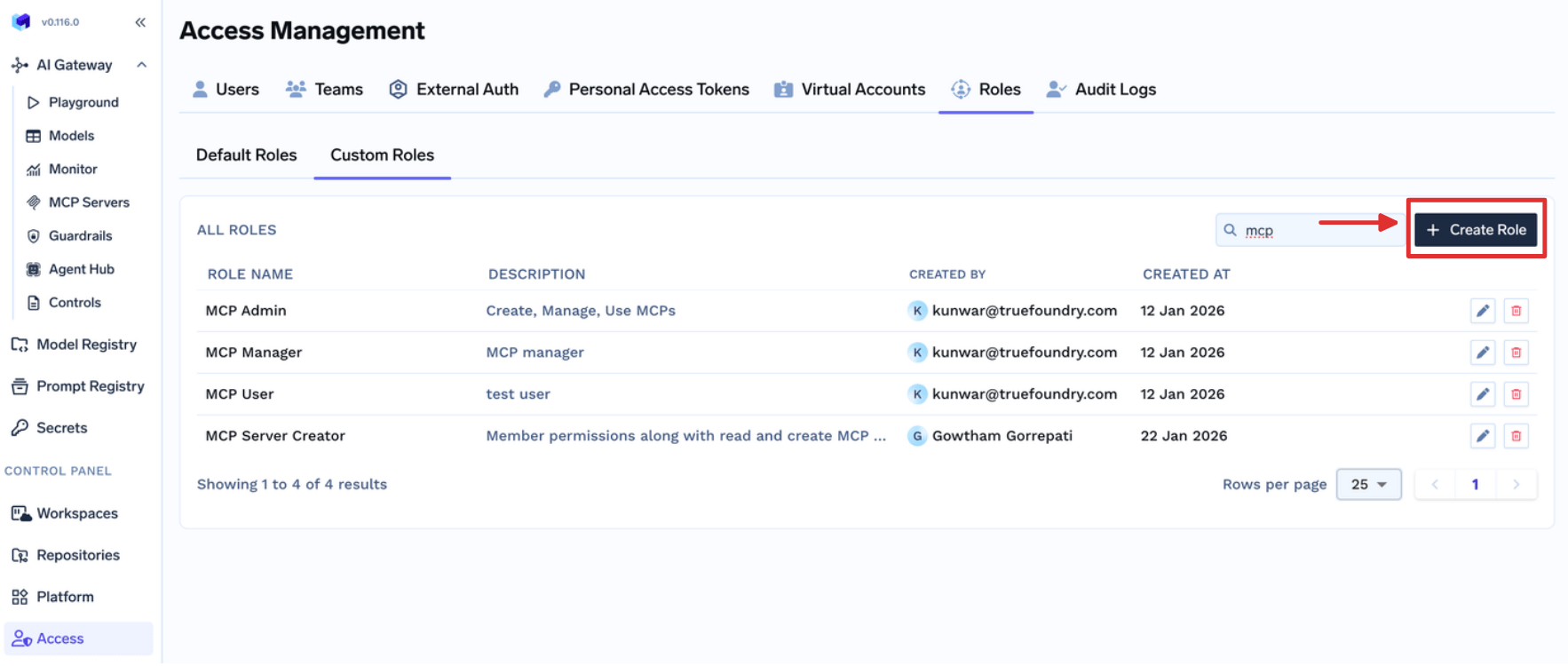
Define the role
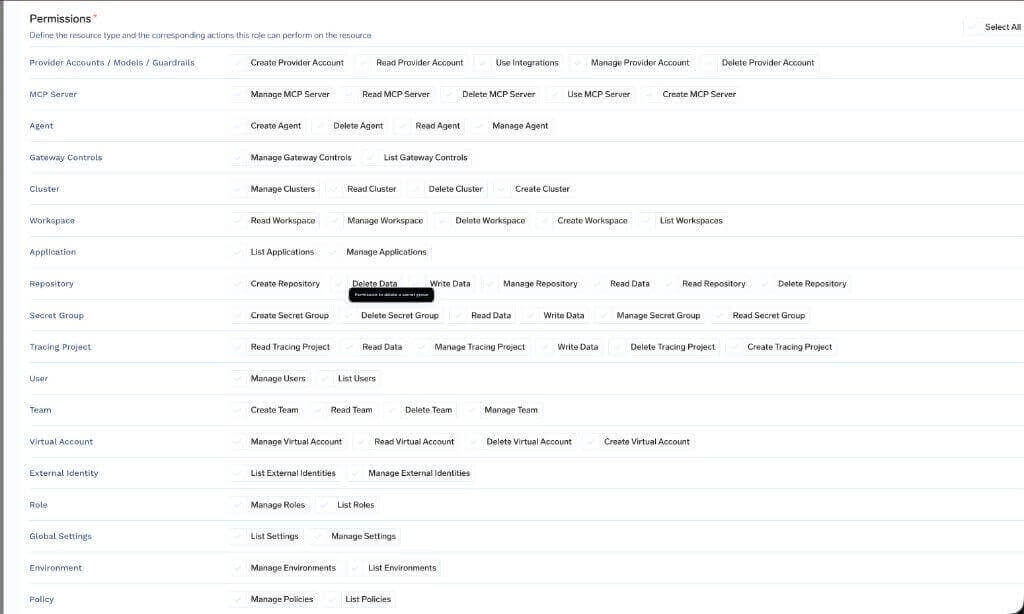
Permissions grouped by resource type
Assign the role
Available platform permissions
The catalog below lists every permission that exists in the TrueFoundry platform. These are the building blocks you compose into a custom tenant-level role.AI Gateway
Provider Account (Provider Account / Model Account / Guardrail Group)
Provider Account (Provider Account / Model Account / Guardrail Group)
MCP/Virtual MCP Server
MCP/Virtual MCP Server
Agent
Agent
Gateway Controls
Gateway Controls
AI Engineering
Cluster
Cluster
Workspace
Workspace
Application
Application
Environment
Environment
Policy
Policy
Common
Role
Role
Tenant
Tenant
User
User
Team
Team
Virtual Account
Virtual Account
Identity Provider
Identity Provider
Integrations
Integrations
Repository
Repository
Secret Group
Secret Group
Global Settings
Global Settings
FAQ
How do I let Team Managers create or manage their team's Virtual Accounts?
How do I let Team Managers create or manage their team's Virtual Accounts?
- Read Virtual Account lets managers see Virtual Accounts owned by their team. This is included by default.
- Create Virtual Account lets managers create Virtual Accounts for their team.
- Manage Virtual Account lets managers update those accounts and retrieve their tokens.
- Delete Virtual Account lets managers delete them.
How do I let Team Members retrieve Virtual Account tokens?
How do I let Team Members retrieve Virtual Account tokens?
How do I give an auditor read-only access?
How do I give an auditor read-only access?
How do I give someone read-only access to all resources?
How do I give someone read-only access to all resources?
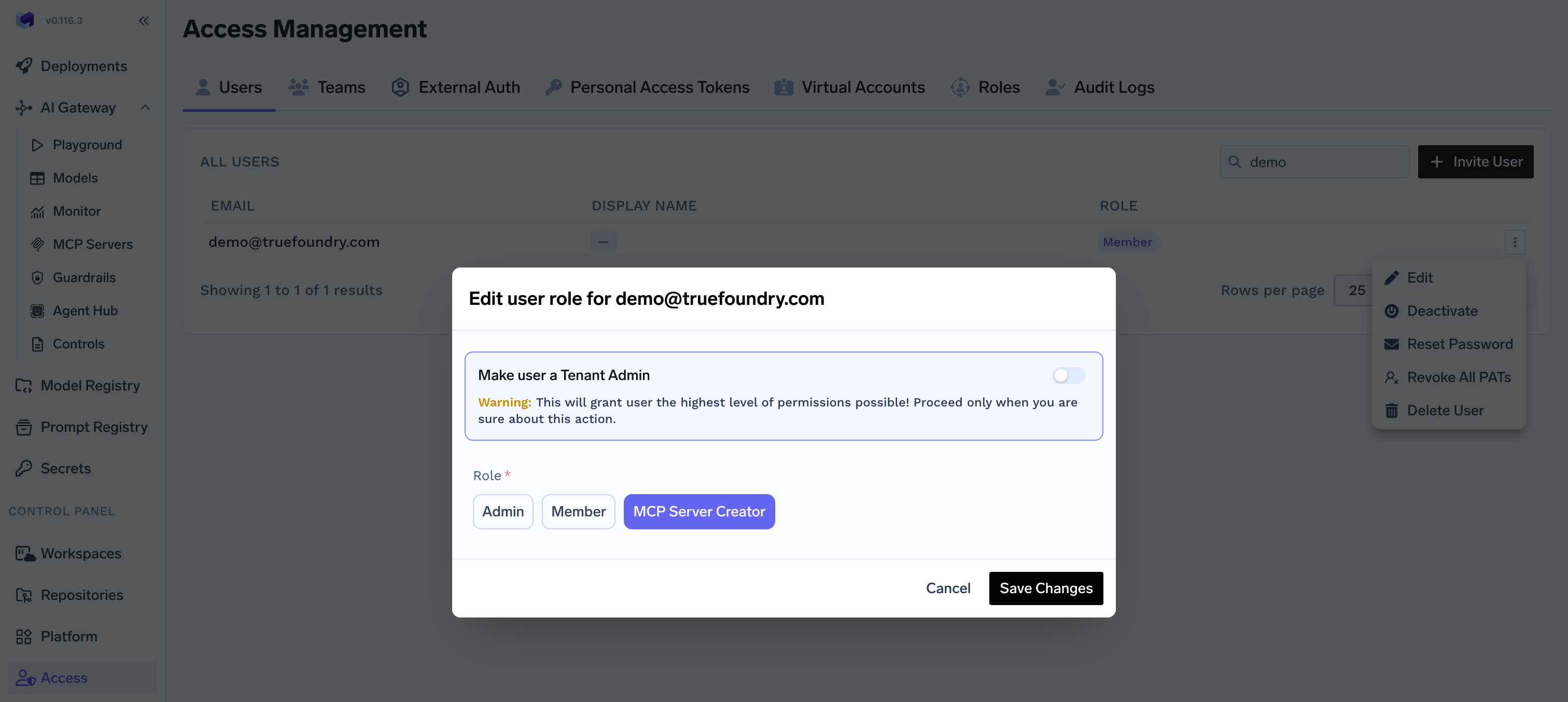
How do I let certain users create MCP servers without making them Tenant Admin?
How do I let certain users create MCP servers without making them Tenant Admin?
Create the role
Add Create MCP Server
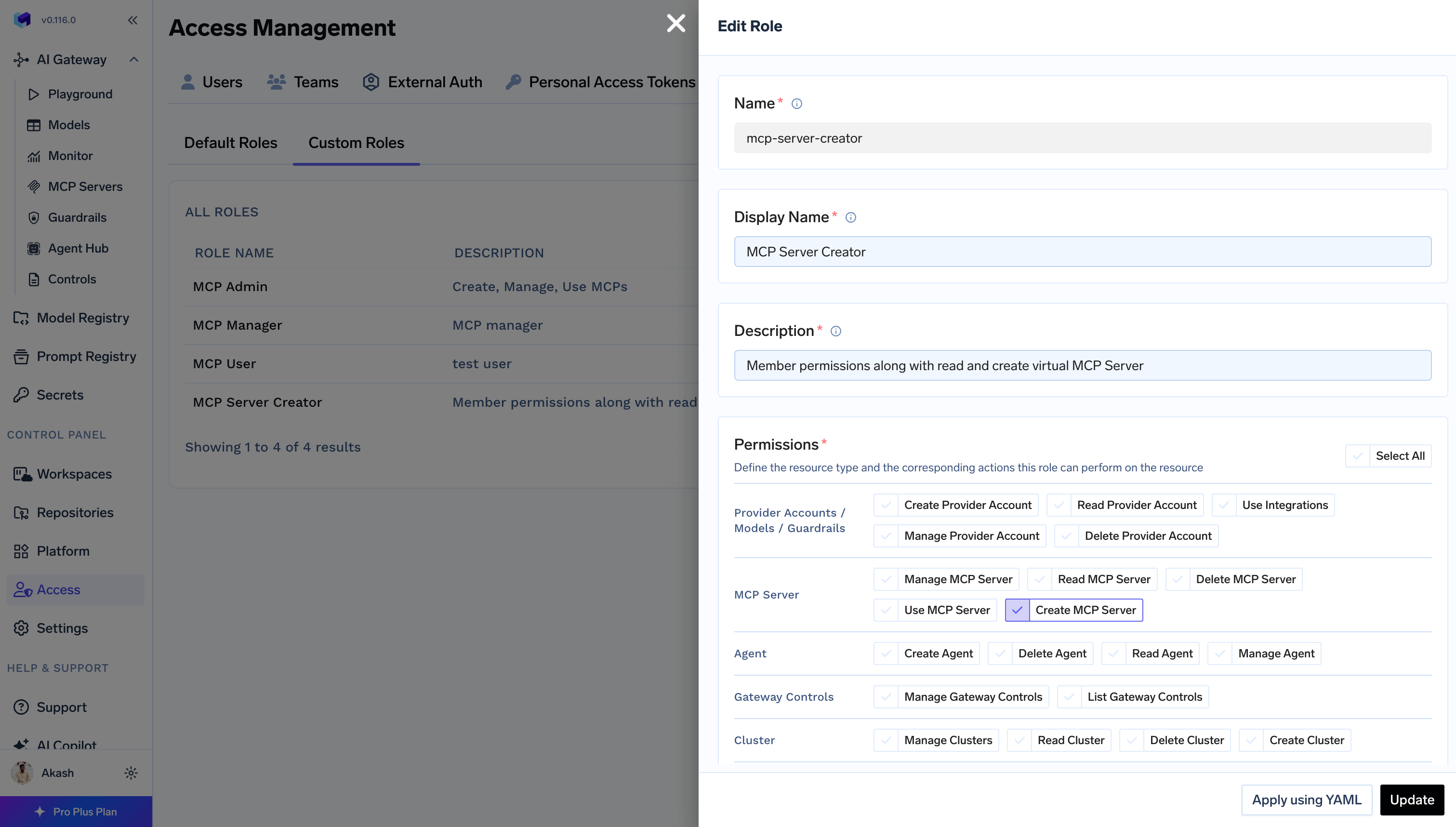
Assign the role
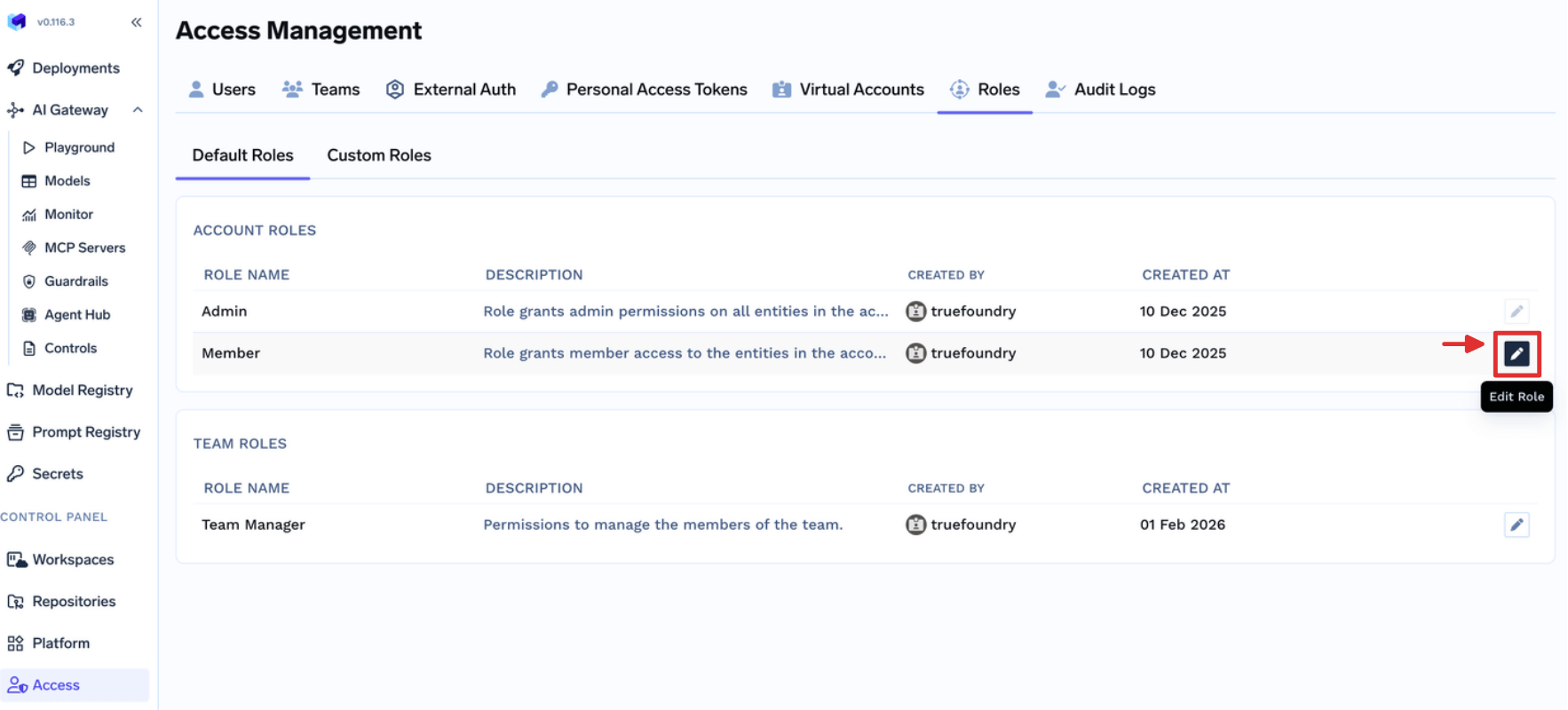
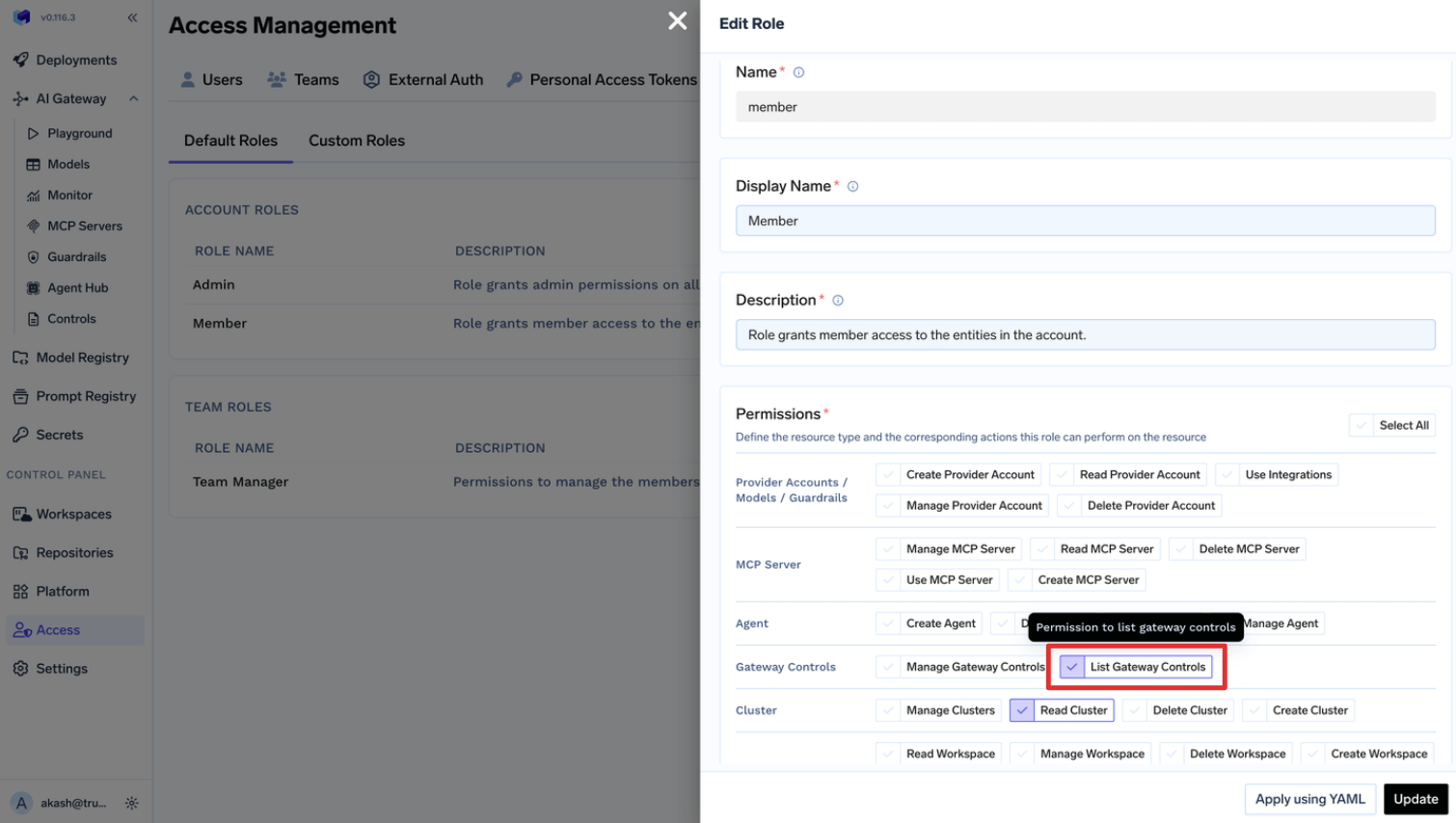
How do I let everyone view Gateway Controls without making them Tenant Admin?
How do I let everyone view Gateway Controls without making them Tenant Admin?
What does the Member role include by default?
What does the Member role include by default?
cluster:ReadClusterenvironment:ListEnvironmentssettings:ListSettingsuser:ListUsersrepository:CreateRepositorysecret-group:CreateSecretGroupagent:CreateAgent
What does the Team Member role include by default?
What does the Team Member role include by default?
virtual-account:ReadVirtualAccount, scoped to Virtual Accounts owned by the teams the user belongs to. Retrieving a token additionally requires virtual-account:ManageVirtualAccount.