

Prometheus to scrap all the metrics exposed at /metricsendpoint of your server.
Logging metrics
Let us understand with an example of a FastAPI inference service. You can find the complete code at Github Repository/predict endpoint. Now, we would like to track how many times this API has been called and how much time it took for each of these predictions, in other words, what is the latency of this API?
Let us start by installing the Python library for Prometheus
uvicorn app:app --port 8000 --host 0.0.0.0
Now, you can check the exposed metrics at http://localhost:8000/metrics
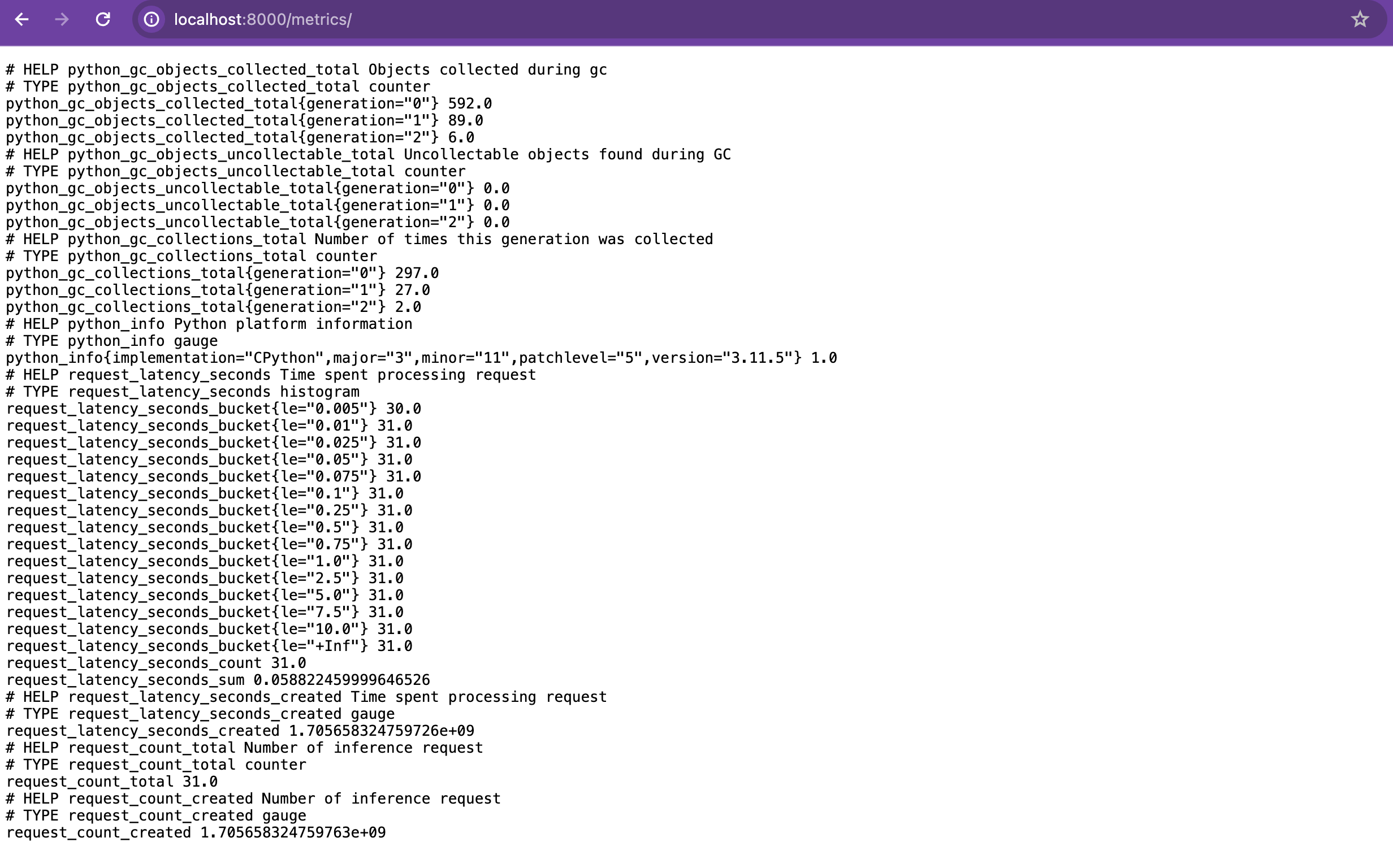
Monitor exposed metrics
Add the followingkustomize patch to your service while deploying. This will add necessary annotations to your service Pods for Prometheus to scrape metrics. Please fill the placeholders with the correct service-name and service-port-number.
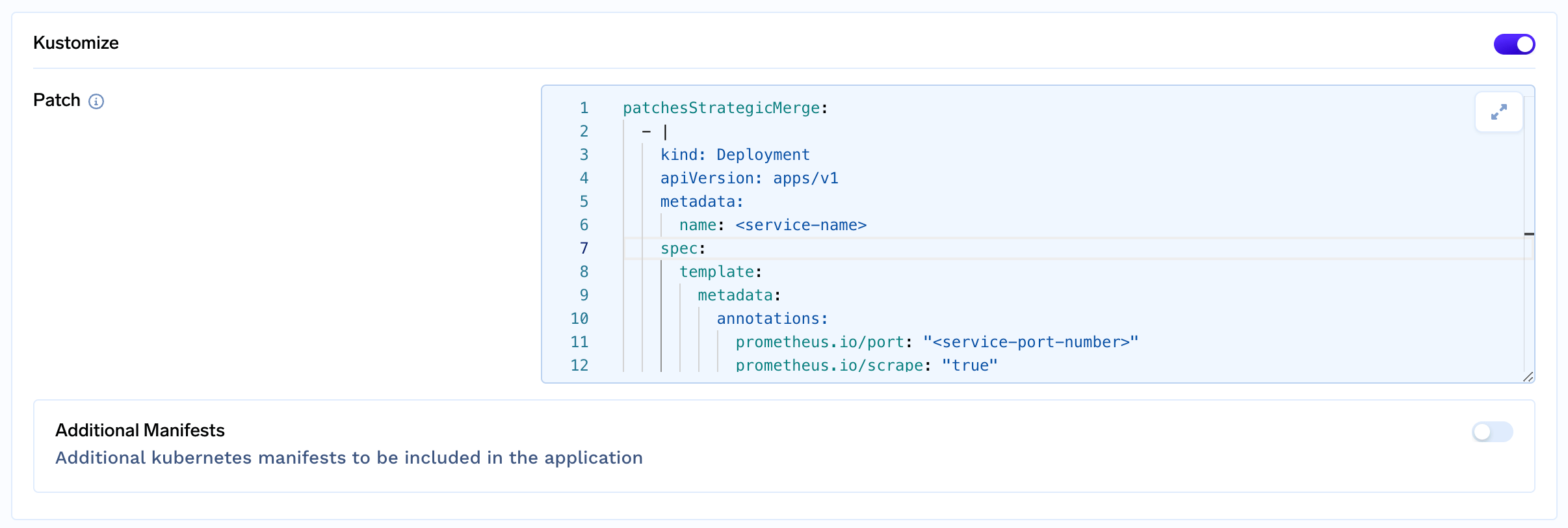
Note: Please ensure that
Prometheus and Grafana is installed in your cluster.- Open your Grafana dashboard for the service.
- Now, to monitor your custom metrics add a new Visualization in your service dashboard.
- For counter metric, use the query
request_count_total{container=~"iris-inference",namespace=~"demo-ws"}wherecontaineris service_name andnamespaceis workspace_name. - For histogram metric, use multiple
Querysection with different percentile likeround(histogram_quantile(0.99, sum(rate(request_latency_seconds_bucket{namespace=~"demo-ws", container=~"iris-inference"}[$__rate_interval])) by (le)), 0.001)representsp99, similarlyround(histogram_quantile(0.90, sum(rate(request_latency_seconds_bucket{namespace=~"demo-ws", container=~"iris-inference"}[$__rate_interval])) by (le)), 0.001)representsp90wherecontaineris service_name andnamespaceis workspace_name - Save the changes and you are ready with your dashboard.