Learn about TrueFoundry’s globally distributed AI Gateway infrastructure deployed across multiple regions and cloud providers.
TrueFoundry’s globally distributed AI Gateway is deployed across multiple regions and cloud providers to ensure high availability, low latency, and resilience against regional or cloud provider disruptions. The global AI Gateway URL is https://gateway.truefoundry.ai.
gateway.truefoundry.ai is the unified endpoint for both the AI Model Gateway and the MCP Gateway.Whether you are routing LLM inference requests (OpenAI-compatible API, etc.) or connecting to MCP (Model Context Protocol) servers, all traffic goes through the same globally distributed infrastructure. This means MCP Gateway deployments benefit from the same multi-region, multi-cloud availability described on this page.
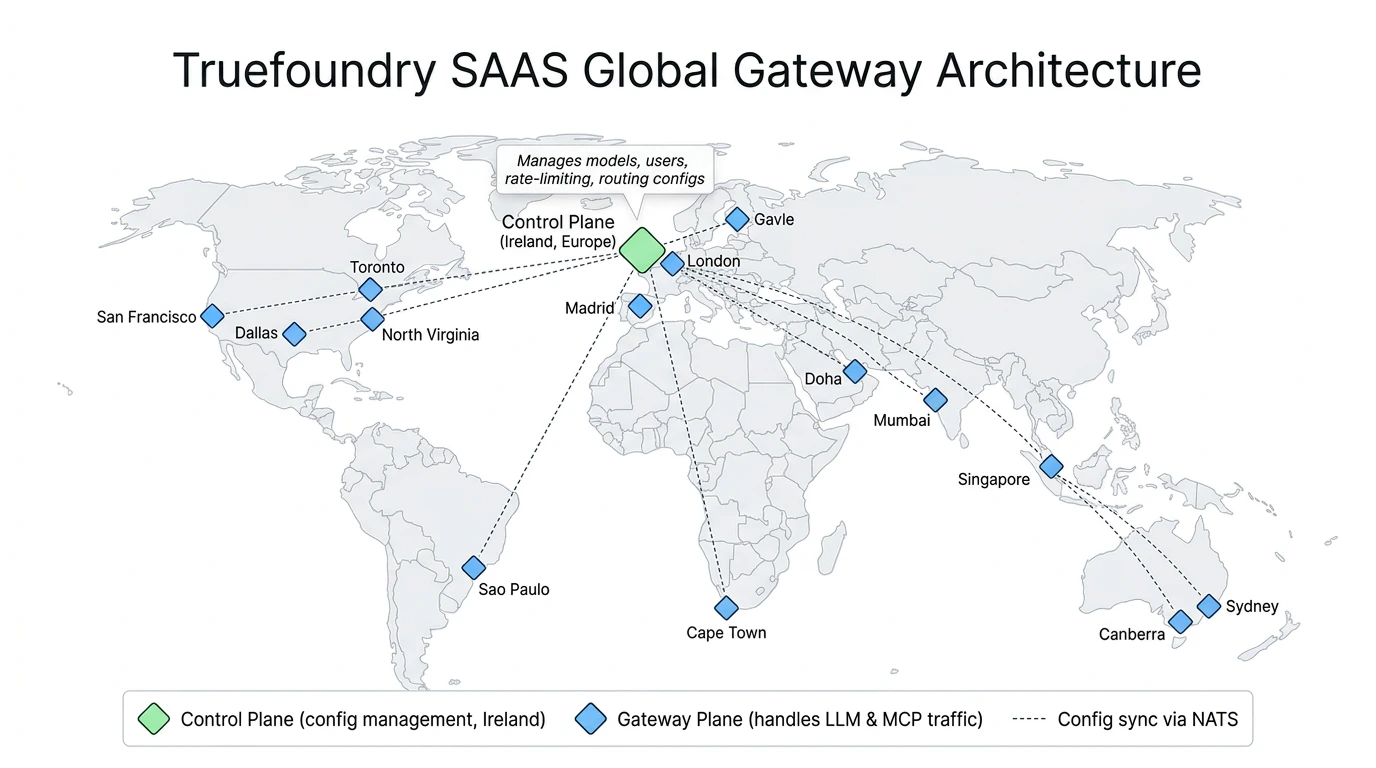
TrueFoundry SAAS Global Gateway Architecture — Control Plane in Ireland with Gateway Planes distributed globally
Globally Distributed: Deployed across more than 12 regions around the globe and across 3 multiple cloud providers for maximum availability while minimizing latency.
Automated Failover: All traffic is routed to the nearest AI Gateway for minimum latency. In case of regional downtime, traffic is automatically routed to closest healthy regions ensuring uninterrupted service.
Multi-Cloud Deployment: Distributed across multiple cloud providers to be tolerant to cloud provider-specific disruptions.
Data Encryption: Data is encrypted at rest and in transit.
Compliance: TrueFoundry Infrastructure is SOC2, ISO27001, GDPR, and HIPAA compliant.
The SaaS global deployment follows the same AI Gateway Plane Architecture used across all TrueFoundry deployments. It consists of two key components:
Control Plane — Manages all AI Gateway configuration including models, users, teams, virtual accounts, rate and budget limiting, and routing configs. The SaaS control plane is hosted in Ireland (Europe).
Gateway Planes — Stateless, horizontally scalable gateway instances that handle all production traffic (LLM requests, MCP requests, etc.). These are deployed across the regions listed in the Regional Deployments section below.
The AI Gateway planes subscribe to the control plane for configuration updates via NATS and perform all authentication, authorization, rate and budget limiting, and load balancing checks in-memory with no external calls in the request path. For a detailed breakdown of the request flow, performance benchmarks, and FAQs, see the Gateway Plane Architecture page.
The specific regions and locations where gateway planes are deployed are subject to change based on TrueFoundry’s internal infrastructure needs. Regions may be added, removed, or relocated without prior notice.
For most use cases, we recommend using the global endpoint which automatically routes to the nearest healthy gateway:
Deployment
Global Endpoint
Global (Auto-routed)
https://gateway.truefoundry.ai
Using the global URL (https://gateway.truefoundry.ai) is recommended as it automatically routes your requests to the nearest healthy gateway instance based on your geographic location to give you the minimum possible latency.
Each AI Gateway region has its own URL and associated metadata. Every request routed through the SaaS AI Gateway is automatically enriched with the tfy_gateway_region and tfy_gateway_zone metadata keys that identify which gateway region and zone handled the request. The Region and Zone columns in the table below show the values these keys will contain.
Please do not use the regional endpoints in production since they are subject to change at any point without notice.We recommend using the global endpoint (https://gateway.truefoundry.ai) for production use, or the region-specific endpoint described in the Multi-regional Deployments section.
Physical Location
Cloud Provider
Region
Zone
Regional Endpoint
North Virginia, United States (ORF)
AWS
US
ORF
https://orf.gateway.truefoundry.ai
San Francisco, United States (SFO)
Azure
US
SFO
https://sfo.gateway.truefoundry.ai
Dallas, Texas, United States (DFW)
GCP
US
DFW
https://dfw.gateway.truefoundry.ai
Toronto, Canada (YYZ)
GCP
CA
YYZ
https://yyz.gateway.truefoundry.ai
Sao Paulo, Brazil (GRU)
GCP
SA
GRU
https://gru.gateway.truefoundry.ai
London, United Kingdom (LHR)
AWS
EU
LHR
https://lhr.gateway.truefoundry.ai
Madrid, Spain (MAD)
GCP
EU
MAD
https://mad.gateway.truefoundry.ai
Gavle, Sweden (GVX)
Azure
EU
GVX
https://gvx.gateway.truefoundry.ai
Cape Town, South Africa (CPT)
AWS
AF
CPT
https://cpt.gateway.truefoundry.ai
Doha, Qatar (DIA)
GCP
US
DIA
https://dia.gateway.truefoundry.ai
Mumbai, India (BOM)
AWS
IN
BOM
https://bom.gateway.truefoundry.ai
Singapore, Singapore (SIN)
AWS
AP
SIN
https://sin.gateway.truefoundry.ai
Melbourne, Australia (MEL)
AWS
AU
MEL
https://mel.gateway.truefoundry.ai
Sydney, Australia (SYD)
AWS
AU
SYD
https://syd.gateway.truefoundry.ai
The tfy_gateway_region and tfy_gateway_zone keys are set automatically — you do not need to send them. They are part of the resolved metadata on every request and can be used for:
Virtual model routing — Route to region-specific model deployments using metadata_match
Data routing — Send logs to region-specific destinations based on AI Gateway location
For example, you can route US gateway traffic to Azure US-deployed models, and EU gateway traffic to Azure EU-deployed models. See region-based routing with virtual models for a working example.
Multi-regional endpoints automatically route your requests to the closest healthy gateway within a specific geographic region. If all regional locations are unavailable, traffic is routed to the designated fallback regions.
Region
Multi-regional Endpoint
Primary Locations
Fallback Locations
United States
https://us.gateway.truefoundry.ai
North Virginia (ORF), San Francisco (SFO), Dallas (DFW)
Toronto, Canada (YYZ)
Europe
https://eu.gateway.truefoundry.ai
London (LHR), Madrid (MAD), Gavle (GVX)
Doha, Qatar (DIA)
South America
https://sa.gateway.truefoundry.ai
Sao Paulo (GRU)
—
Australia
https://au.gateway.truefoundry.ai
Sydney (SYD), Melbourne (MEL)
Singapore (SIN)
Asia
https://as.gateway.truefoundry.ai
Mumbai (BOM), Singapore (SIN), Doha (DIA)
Melbourne (MEL)
To use a multi-regional endpoint in your tenant, register it as a gateway endpoint in the TrueFoundry dashboard. This replaces the default global endpoint (https://gateway.truefoundry.ai) with your chosen multi-regional URL for all gateway traffic from your tenant.
Configure a multi-regional gateway endpoint
1
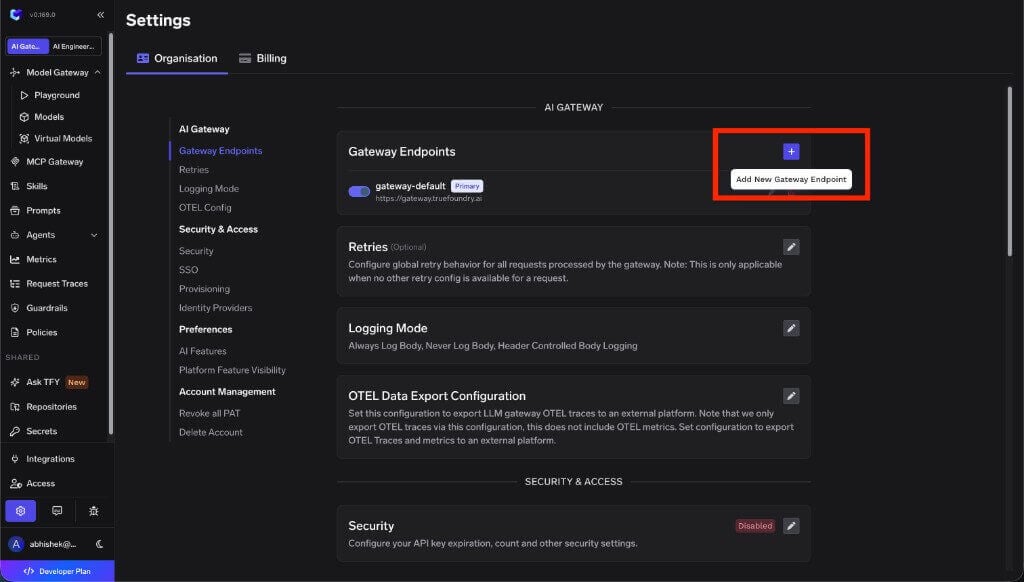
Open Gateway Endpoints settings
In the TrueFoundry dashboard, go to Settings → Organisation → AI Gateway → Gateway Endpoints.
Gateway Endpoints settings under Organisation
2
Add a new gateway endpoint
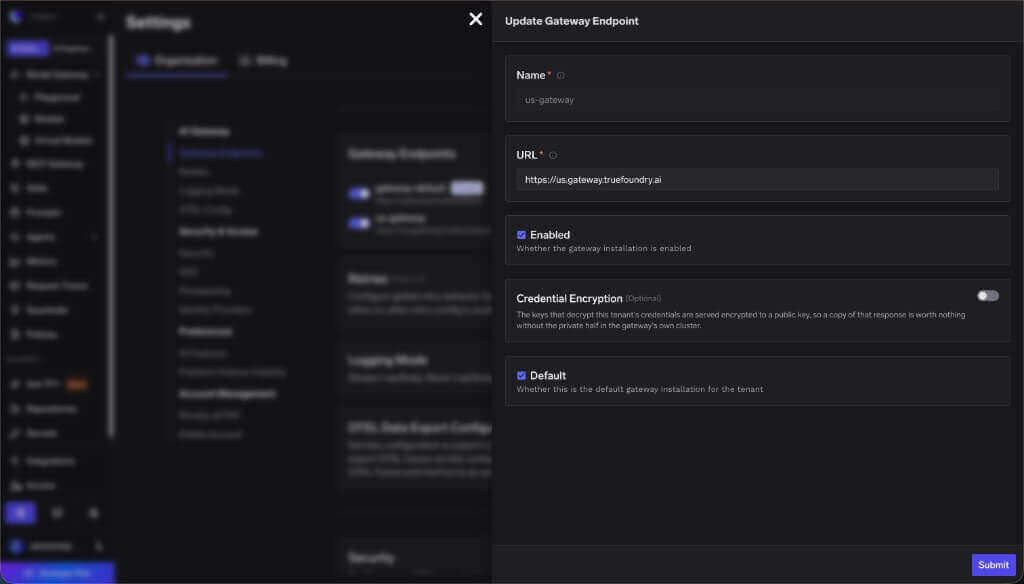
Click the + button to add a new gateway endpoint.In the form, enter:
Name — A unique name for the endpoint (for example, us-gateway).
URL — The multi-regional endpoint URL from the table above (for example, https://us.gateway.truefoundry.ai for United States traffic).
Enabled — Check this to activate the endpoint.
Default — Check this to make this the primary gateway endpoint for your tenant.
Click Submit to save.
Create or update a gateway endpoint with a multi-regional URL
3
Delete the default gateway endpoint
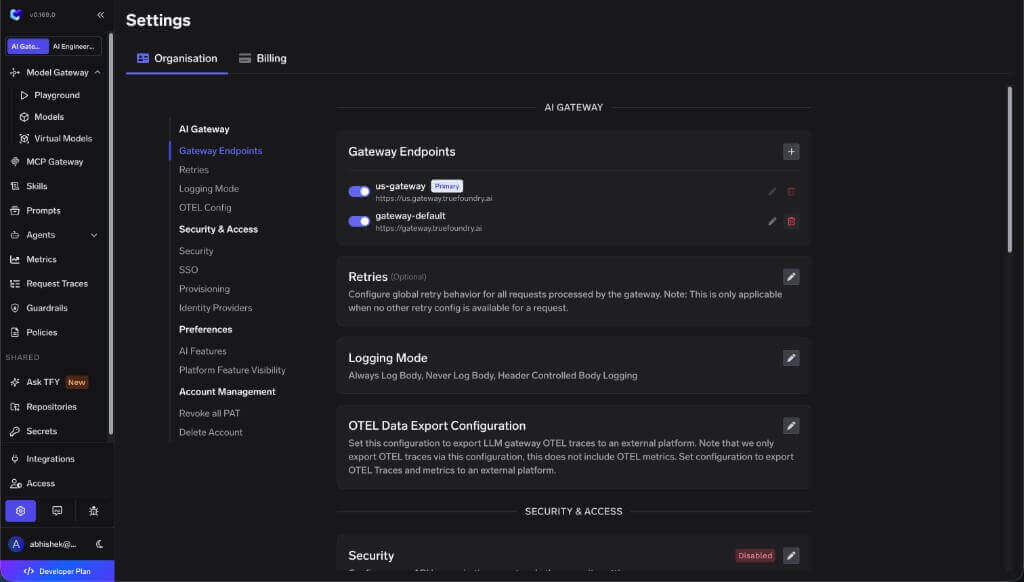
After your new multi-regional endpoint is saved and marked as Primary, delete the original gateway-default entry (which points to https://gateway.truefoundry.ai).Click the delete icon next to gateway-default and confirm the removal.
Multi-regional endpoint set as Primary with the default gateway ready to remove
Delete gateway-default only after your new multi-regional endpoint is enabled and set as the default. Your tenant should always have exactly one primary gateway endpoint configured.
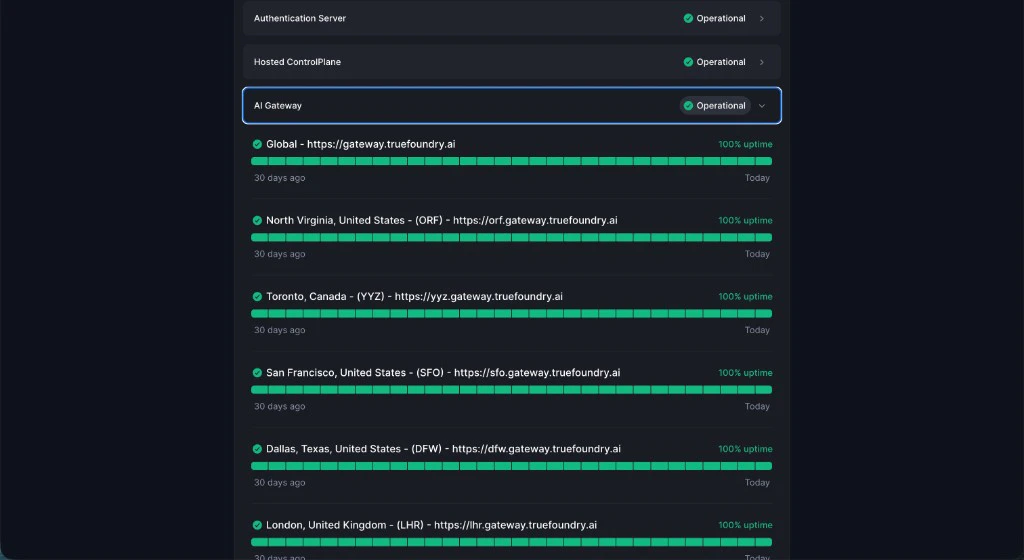
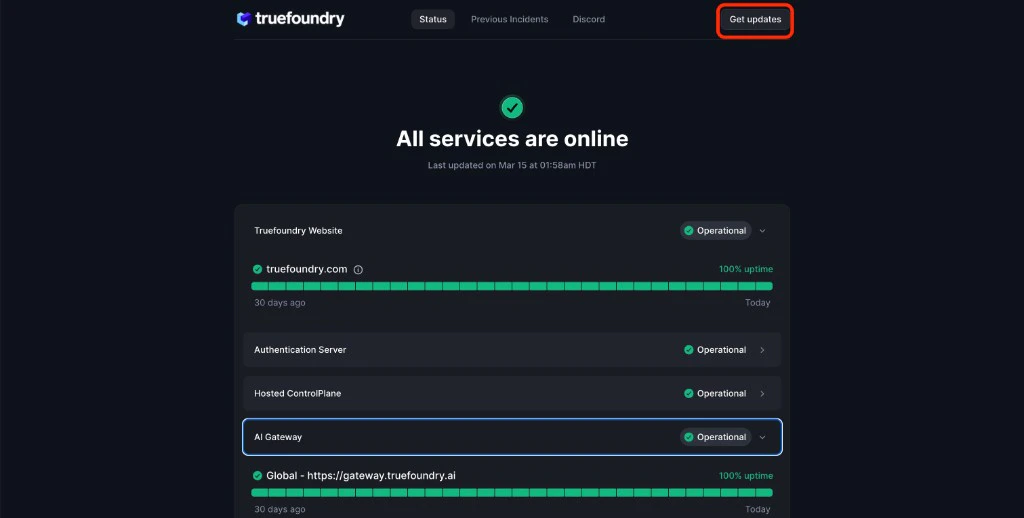
To track the status of each AI Gateway deployment and receive real-time updates on service availability, visit our status page:AI Gateway Status Page: status.truefoundry.comYou can expand the AI Gateway section to see per-region uptime:
Connecting Your Private Models or MCP Servers to the AI Gateway
If your models or MCP servers run inside a private network (a VPC, on-prem cluster, etc.), the SaaS Gateway needs a network path to reach them without exposing them to the public internet. See Connect Private Models and MCP Servers for the supported approaches.
What is the round trip latency to the SaaS Gateway?
Your client is automatically routed to the closest gateway region, so the round trip time (RTT) from your application to the AI Gateway typically ranges from 20–50ms.If you are seeing higher latencies, please let us know and we will be happy to add another region closer to your use case.If you are self-hosting the AI Gateway within your own infrastructure, the RTT from your application to the AI Gateway will be on the order of ~1ms when both are running in the same cluster.
Was this page helpful?
Assistant
Responses are generated using AI and may contain mistakes.